Start with the Apple account, app settings and network connection. These checks can identify common setup problems; they do not rule out an app or iCloud fault.
1. Same Apple ID on both?
This is a common cause, and it is easy to miss on a device somebody else set up, or an older iPad signed into an account you stopped using. Two Apple IDs mean two separate vaults that will never meet.
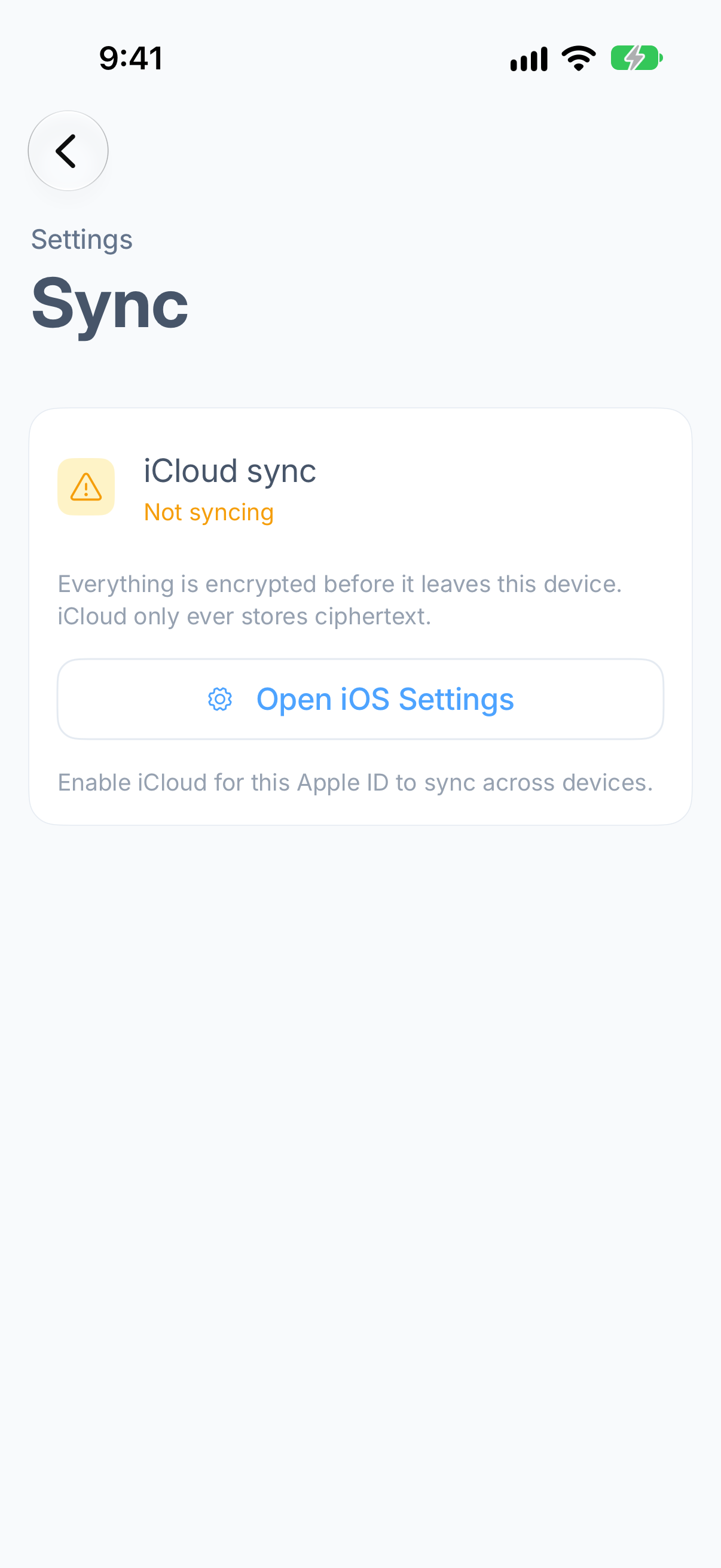
2. Does Settings, then Sync, say iCloud sync on both devices?
Each device syncs when it is signed into iCloud at the moment the app opens. If a device says Not syncing, sign it into iCloud, then quit and reopen Zen Passwords. Tap Sync now on the device with the newer copy.
3. Has it had a connection?
The app works offline, which means changes made on a plane sit on the device until it reconnects. Open the app with a connection and give it a moment. On a large vault the first pass after a long gap is not instant.
4. Is your iCloud storage full?
Sync stores the encrypted vault in the private iCloud database under your Apple ID, which counts against your own iCloud storage. When that storage is full, new changes have nowhere to go, so the device that made them keeps them and the other device stays behind. Check the storage meter in Settings under your name, then iCloud, on the device that has the newer copy, and free some space if it is full.
Make sure it is a sync problem
Two things look like sync failing and are not. AutoFill is a system setting on each device rather than part of the vault, so a second device can hold every entry and still offer nothing in Safari until you turn AutoFill on there. And the second device has to open the same vault with the same master password; a fresh vault created on that device is a different vault, even under the same Apple ID.
- Make a harmless test entryOn the device with the newer copy, add a throwaway note with an obvious title.
- Open the app on the other deviceWith a network connection, and leave it open for a moment rather than switching away straight after. On the device that made the change, Sync now in Settings, then Sync, sends it right away.
- Look for the test entryIf it arrives, sync is working and the missing item was changed before sync was on, or on a device that was signed into another Apple ID. Delete the test entry once you have seen it, and the deletion will travel too.
If those checks do not resolve it
Keep the device with the latest copy intact. Contact support with the device models, app versions, which device is behind and when you noticed the difference. Do not send vault contents, passwords or recovery material. Make an encrypted backup before trying any step that removes local data.