Apple Passwords is already on your iPhone, which is why most people start there. This page puts it beside Zen Passwords one specific job at a time: who protects the vault, what it can hold, how it is organized, how it is checked and how it is backed up.
- You want your passwords behind their own master password, not the iPhone passcode you type in public every day
- You keep cards, bank details, passports, licenses and Wi-Fi networks alongside your logins
- You want photos attached to entries, such as a passport page or the label on your router
- You organize with folders, tags and favorites
- You want encrypted backups on a schedule, saved to a folder you choose, with a record of each one
- You want a backup that still opens without the app, using an open-source tool
- You want a health check that also flags passwords left unchanged for over a year
- You use a Windows PC and want your passwords in Chrome, Edge or Firefox there
- You share logins with family through Shared Groups
- You want nothing beyond what came with your iPhone
At a glance
| Zen Passwords | Apple Passwords | Better | |
|---|---|---|---|
| If someone learns your iPhone passcode | Its own master password and Secret Key | Face ID, Touch ID or the iPhone passcode | Zen Passwords |
| Seven item types with custom fields | Seven types plus custom fields | Passwords, passkeys, codes and Wi-Fi | Zen Passwords |
| Photos attached to each entry | Encrypted photos on any entry | No attachments | Zen Passwords |
| Organizing: folders, tags, favorites | Folders, tags, favorites and search | Fixed categories and Shared Groups | Zen Passwords |
| Spotting passwords that need changing | Breached, reused, weak and over a year old | Weak, reused and leaked | Zen Passwords |
| Backups you control | Scheduled encrypted backups with history | iCloud Keychain; plain CSV export | Zen Passwords |
| Your vault opens without the app | Open-source zen-cli reads any backup | Apple devices or iCloud for Windows | Zen Passwords |
| The devices it reaches | Apple devices | Apple devices and Windows | Apple Passwords |
| Sharing with other people | Personal vault | Shared Groups and AirDrop | Apple Passwords |
01If someone learns your iPhone passcode
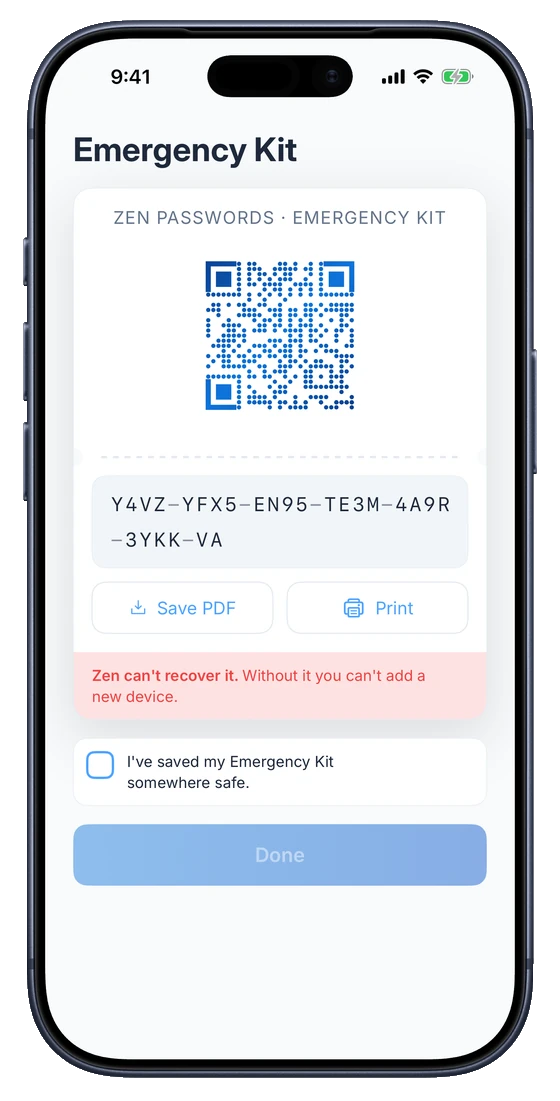
Zen Passwords opens with its own master password, which is not your passcode and not your Apple Account password. Face ID is optional and off until you turn it on. Adding a new device, opening the web vault or restoring a backup also asks for a 26-character Secret Key that is generated on your device and never uploaded or synced.
The Passwords app unlocks with Face ID, Touch ID or the iPhone passcode. Stolen Device Protection, when it is on, requires Face ID or Touch ID to use saved passwords away from familiar places; at home or work the passcode still works.
Zen Passwords. The passcode is the code you type in front of other people all day. Apple Passwords ties every saved login to it. Zen keeps your vault behind a separate master password of its own.
02Seven item types with custom fields
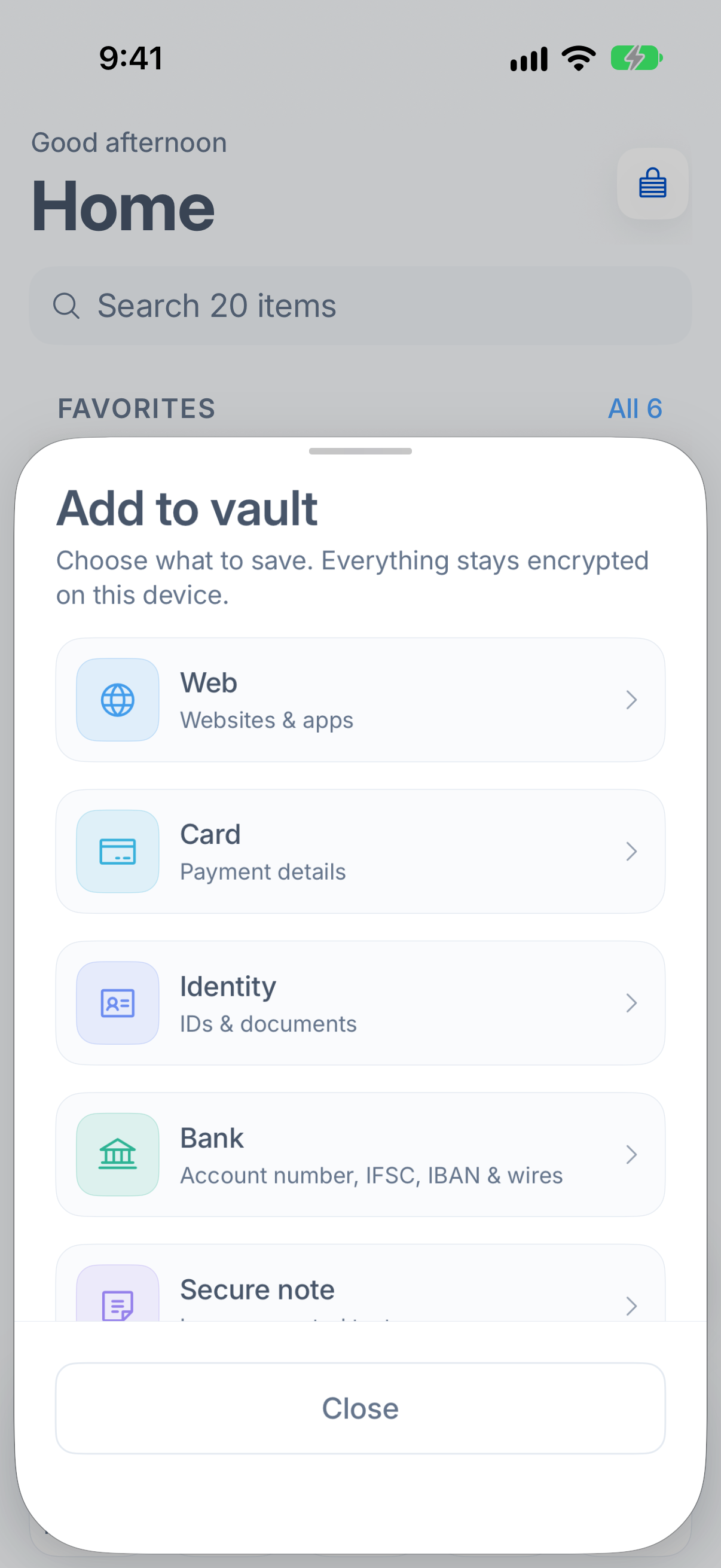
Seven types, each with fields that fit: web logins, payment cards, bank details, identity documents such as passports and driver's licenses, Wi-Fi networks, software licenses and secure notes. Add custom fields to any of them. Passkeys and one-time codes sit inside the login they belong to.
Passwords, passkeys, verification codes and Wi-Fi passwords. Saved credit cards live in Wallet, under AutoFill, for checkout, and there is no entry type for bank accounts, passports or software licenses.
Zen Passwords. Your passport number, bank details and software keys need a structured place to live. Apple Passwords has no form for them. Zen gives each one its own.
03Photos attached to each entry
Attach photos to any entry, encrypted with the entry itself: a passport page, the back of an insurance card, the label on a router. An entry with photos still counts as one item.
There is no way to attach a photo or a file to a saved password.
Zen Passwords. The picture of the document usually matters as much as the number on it. Zen keeps both in the same encrypted entry.
04Organizing: folders, tags, favorites
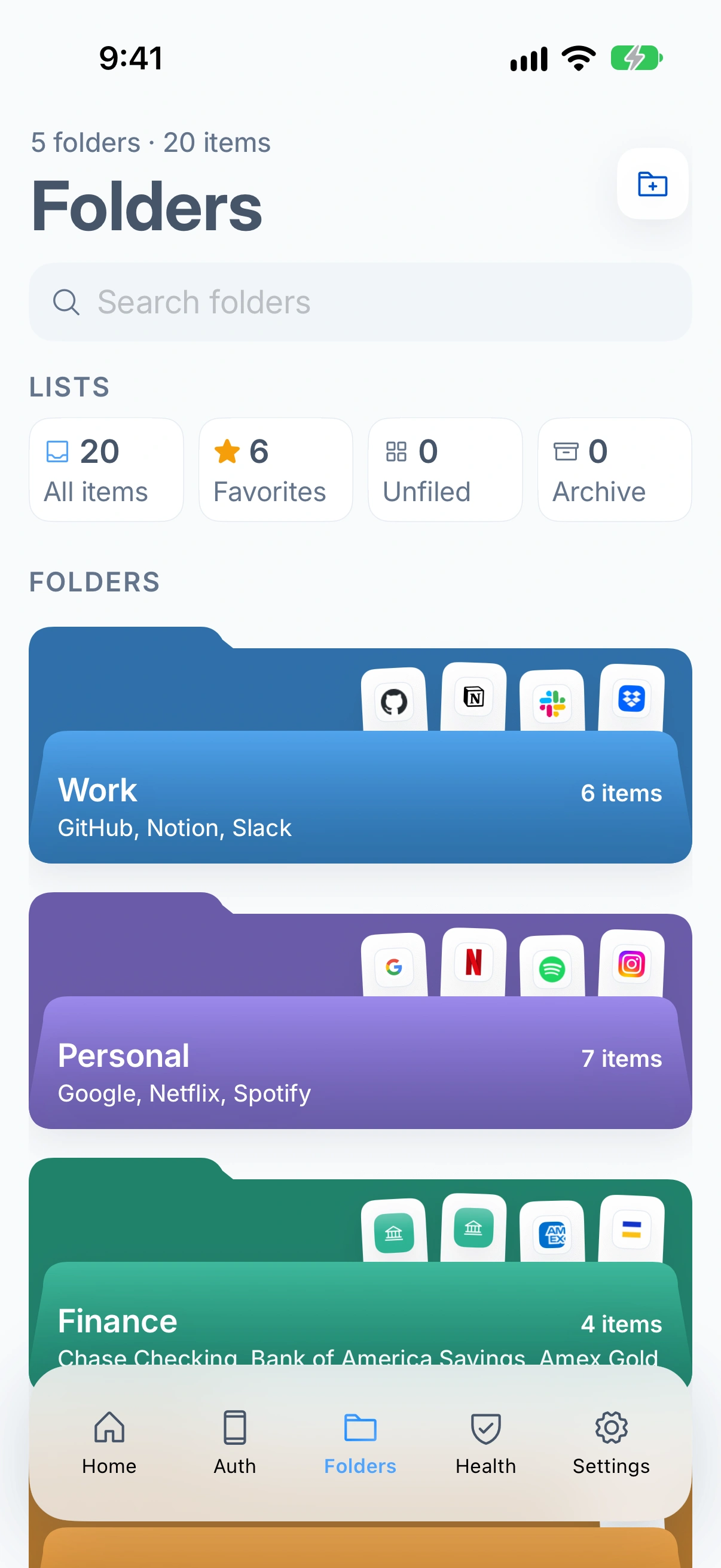
Folders you name, tags, favorites and search across every item type.
Fixed categories such as passkeys, codes, Wi-Fi and security, plus Shared Groups, which exist for sharing. There are no folders or tags of your own.
Zen Passwords. Past a few dozen logins, one long list stops being useful. Zen lets you sort the vault the way you think about it: work, home, finance, travel.
05Spotting passwords that need changing
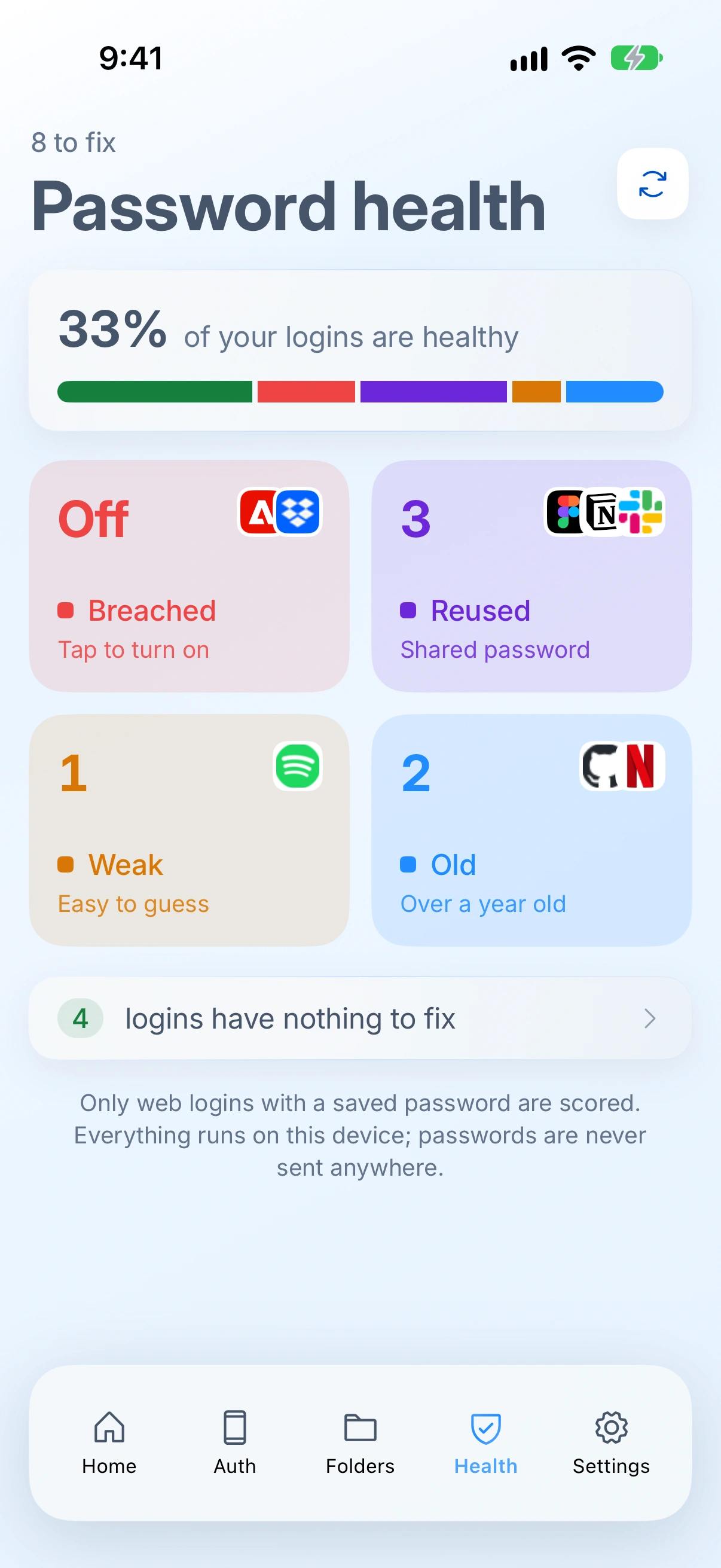
Flags breached, reused and weak passwords, plus any password not changed in over a year. Reused, weak and old passwords are checked on the phone, and reuse is found by comparing hashes. The breach check is part of Zen Premium and opt in, and sends only the start of a password's hash to Have I Been Pwned. Payment cards show whether they are still in date.
Security recommendations flag weak, reused and leaked passwords. Apple says the leak check works without revealing your passwords to Apple.
Zen Passwords. Both catch the urgent problems. Zen also finds the password you set years ago and never revisited, which Apple's list does not flag.
06Backups you control
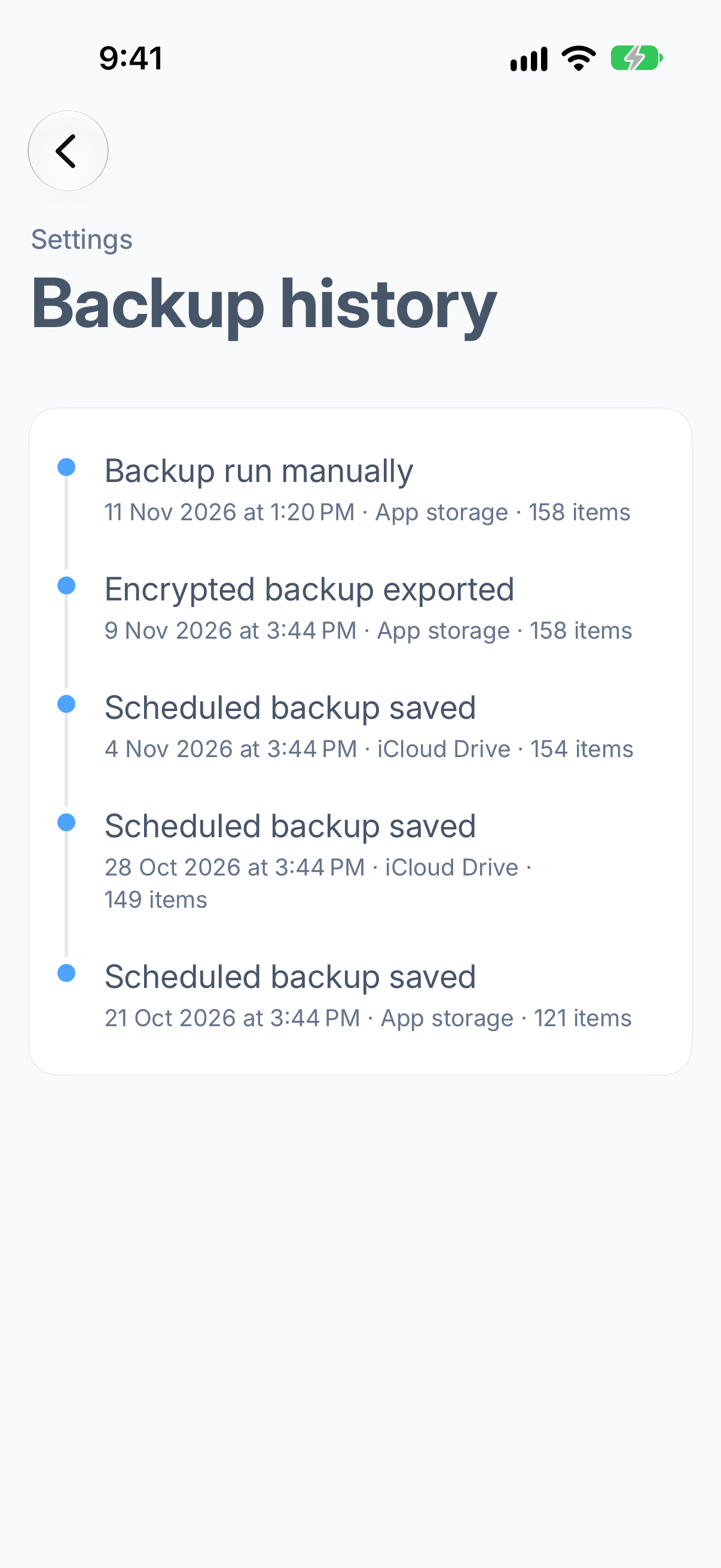
Encrypted backups on demand or on a schedule, saved to a folder you choose, with a history showing the date, destination and item count of every backup.
Your passwords live in iCloud Keychain. On a Mac you can export them to a CSV file, which Apple warns is not encrypted and which leaves out Wi-Fi passwords.
Zen Passwords. Zen gives you a copy of the vault that you hold, encrypted and made on schedule. The only file Apple Passwords produces is plain text.
07Your vault opens without the app
An encrypted Zen backup opens from a terminal on Mac or Linux with zen-cli, an open-source, read-only tool. No app and no account needed.
Saved passwords open on Apple devices, or through iCloud Passwords on Windows. Outside those, the only copy you can take is the unencrypted CSV export.
Zen Passwords. Your passwords should not depend on one company's software being there when you need them. A Zen backup and your keys are enough on their own.
08The devices it reaches
iPhone, iPad and Mac. No Windows or Android app.
iPhone, iPad and Mac, plus iCloud Passwords on Windows, which fills in Chrome, Edge and Firefox. No Android app.
Apple Passwords. If you fill passwords on a Windows PC, Apple Passwords does that and Zen does not. Zen lets you read your vault in any browser at zenpasswords.com/vault, but not fill or edit there.
09Sharing with other people
A personal vault. No shared or family vaults.
Shared Groups for family and trusted contacts, plus AirDrop and Wi-Fi password sharing.
Apple Passwords. If you keep logins in common with family, Apple's Shared Groups do that job.
Moving from Apple Passwords
A clean move takes a few minutes. Three things to know first.
- Export from the Passwords app on a Mac with File > Export All Passwords to File, then import that CSV into Zen Passwords.
- Apple's export leaves out Wi-Fi passwords and Sign in with Apple accounts, so add any Wi-Fi networks you want by hand.
- Apple notes the exported file is not encrypted. Delete it once the import is checked; from then on, Zen's backups are encrypted.
Try five active items free and test your everyday sign-in flow. Zen Passwords on the App Store
Sources and scope
Apple documentation checked on 14 November 2026.
- Apple Passwords guide What the Passwords app stores, security alerts, Shared Groups, AirDrop and iCloud Passwords on Windows.
- Find saved passwords and passkeys on your iPhone Unlocking with Face ID, Touch ID or the passcode; categories and Shared Groups.
- About Stolen Device Protection for iPhone Biometric requirement for saved passwords away from familiar locations.
- Apple Platform Security: password security Weak, reused and leaked password recommendations.
- Passwords and privacy How Detect Compromised Passwords checks without revealing passwords to Apple.
- Export passwords from Passwords on Mac CSV export, the unencrypted-file warning, and what is left out.
- Fill in payment information on iPhone AutoFill cards are kept in Wallet, under AutoFill.
- Zen Passwords product details Item types, security model, backups, health checks and the free tier.
- Zen Passwords privacy policy Local storage and the optional sync path.
Questions
Why use Zen Passwords if Apple Passwords is already on my iPhone?
Because it does more of the job. Zen keeps your vault behind its own master password and Secret Key, stores seven kinds of item with photos attached, organizes them in folders and tags, flags passwords older than a year, and saves encrypted backups to a folder you choose. Apple Passwords covers logins, passkeys, codes and Wi-Fi.
What protects my Zen vault if my iPhone is stolen?
Its own master password, which is separate from your iPhone passcode and your Apple Account. Face ID is optional and off until you turn it on, and the app locks itself when idle. Adding a device, opening the web vault or restoring a backup also needs your Secret Key, which is generated on your device and never uploaded or synced.
Does Zen Passwords fill passwords and passkeys like Apple Passwords does?
Yes. It is an AutoFill provider on iPhone, iPad and Mac, offering logins, one-time codes and passkeys in Safari and in other apps. It stores payment cards for reference but does not fill card forms.
Is Zen Passwords free?
The free tier holds five active items in the real app, not an expiring trial, with AutoFill, sync, backups, recovery and all seven item types. Zen Premium removes the limit and adds the opt-in breach check.
Does Zen Passwords use iCloud?
When the device is signed into iCloud, yes. Sync runs through your own private iCloud, carrying only data that was encrypted on your device first. Without iCloud, the vault stays on the device.