Eleven scored rounds on where your vault lives, what protects a copy of it, how you get back in and what still works without the company. Zen Passwords takes nine, LastPass takes two.
- Your vault stays on your devices, with no vendor server holding a copy.
- A Secret Key that never leaves your devices sits beside your master password.
- You get back in with a recovery key you keep or people you trust, never through a company.
- Encrypted backups run on a schedule, and every one is logged.
- An encrypted backup opens from a terminal with an open-source tool, no app or account needed.
- Password health checks run on the phone, and photos attach to the entry they belong to.
- No account to create, no ads, and nothing read from your vault.
- A Windows PC or an Android phone in your week.
- Passwords shared with family, on a Families plan for up to six.
At a glance
| Zen Passwords | LastPass | Better | |
|---|---|---|---|
| No vendor server holding your vault | On your devices; optional sync via your iCloud | On LastPass systems; backups copied in 2022 | Zen Passwords |
| Two keys: master password plus a Secret Key | Master password plus a 130-bit Secret Key | Master password only | Zen Passwords |
| What one guess costs an attacker | Argon2id, memory-hard, plus the Secret Key | PBKDF2; some old accounts were on 1 to 5,000 rounds | Zen Passwords |
| The record | No breach, and no vault store to breach | Vault backups copied in 2022; fined in the UK in 2025 | Zen Passwords |
| Recovery without the company | Your recovery key, or trusted people together | Email, SMS or app recovery through LastPass | Zen Passwords |
| Encrypted backups on a schedule | Encrypted, scheduled, with a backup history | Manual export; usually a plain CSV | Zen Passwords |
| Your vault opens without the app | Open-source CLI opens a backup, no account | Through LastPass apps and your account | Zen Passwords |
| No account, so no customer file to leak | No account, no ads | Email account; data linked to you for marketing | Zen Passwords |
| Photos attached to each entry | Photos on any entry, encrypted with it | Files on secure notes, paid plans | Zen Passwords |
| The devices it reaches | iPhone, iPad and Mac | Windows, Android, Mac, iPhone, every browser | LastPass |
| Sharing with the people you live with | Not offered | Sharing, plus Families for up to six | LastPass |
01No vendor server holding your vault
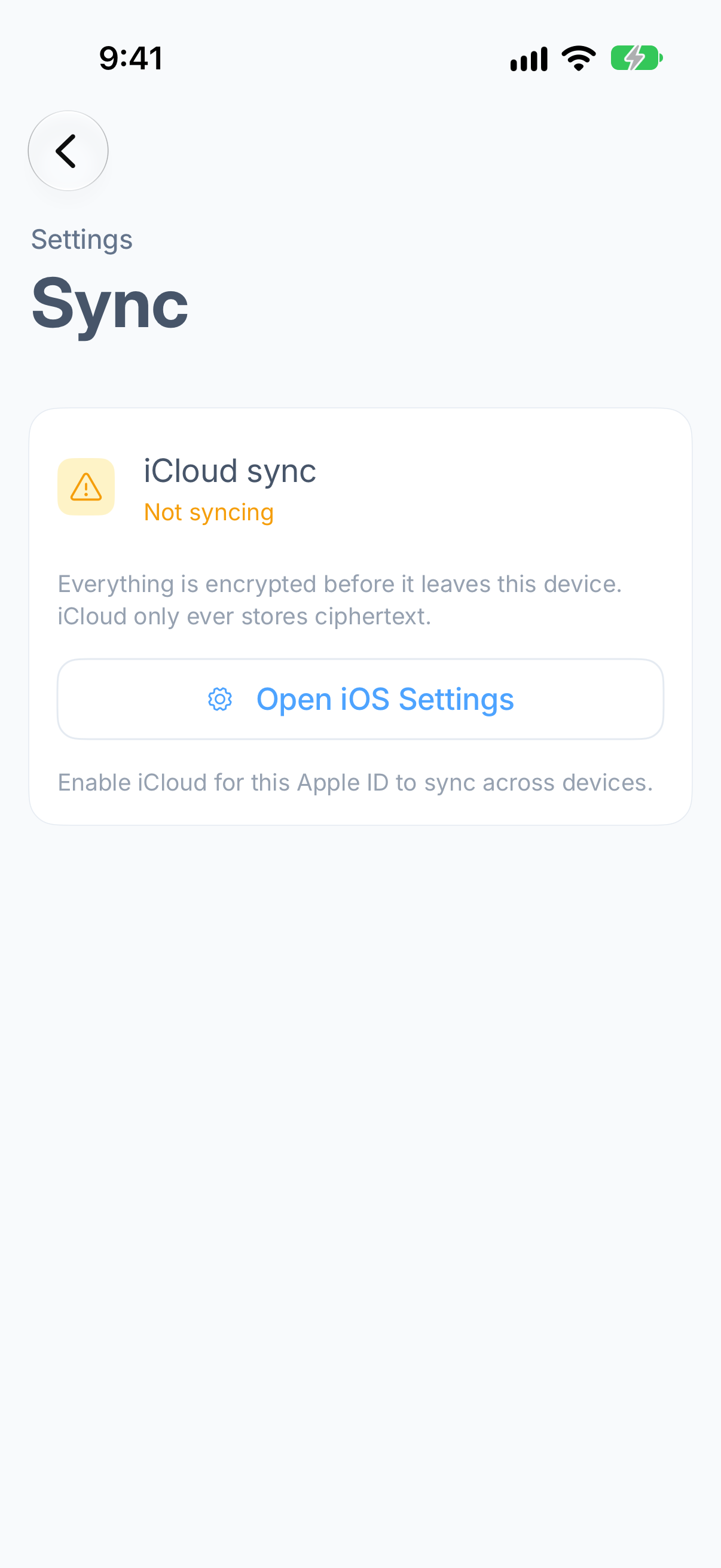
Zen Passwords runs no vault server. The vault lives on your devices and works fully offline. When you are signed into iCloud it syncs as encrypted data through your own private iCloud under your Apple ID.
LastPass stores encrypted vaults on its own systems so they can sync to every device. In 2022 an attacker copied LastPass's cloud backups, which held all customer vault data.
Zen Passwords. Zen Passwords. A server holding millions of vaults is a target whether or not it is ever breached, and this one was. With Zen there is no central store of vaults to take.
02Two keys: master password plus a Secret Key
Your master password is combined with a 130-bit Secret Key, 26 characters, generated on your device and never uploaded or synced. New vaults get one by default, older vaults turn it on in Settings > Security & lock in about two minutes, and you are asked for it when adding a device, opening the web vault or restoring a backup.
The vault key is derived from your master password alone, with PBKDF2. Anyone holding a copied vault has one thing left to find: that password.
Zen Passwords. Zen Passwords. A correctly guessed master password opens nothing without the Secret Key, and the Secret Key is not on any server to be copied. That is the protection the stolen LastPass vaults did not have.
03What one guess costs an attacker
Keys are derived with Argon2id, a memory-hard method: every guess costs memory as well as time, which makes guessing at scale on graphics cards expensive. Even a right guess still leaves the Secret Key missing.
PBKDF2 at a minimum of 600,000 rounds today. The default was 5,000 from 2013 and rose to 100,100 in February 2018, but researchers found older accounts still set to 5,000, 500 and even a single round. A vault copied in 2022 keeps whatever setting its account had then.
Zen Passwords. Zen Passwords. 600,000 rounds of PBKDF2 is a serious setting, but it costs an attacker time and not memory, and it arrived too late for the accounts left on old settings.
04The record
No breach. More to the point, there is no Zen server holding vaults and no customer database of names and addresses, so the two things taken from LastPass do not exist here to be taken.
In August 2022 an attacker got into a developer's account and took source code. Using that, the attacker targeted a senior DevOps engineer and copied cloud backups holding all customer vault data, with website addresses unencrypted, plus names, email addresses, phone numbers, billing addresses and IP addresses. LastPass confirmed the vault theft on December 22, 2022, and gave its full account on March 1, 2023. It finished encrypting website addresses in vaults in September 2025.
Zen Passwords. Zen Passwords. The record says what happened. The design says why it cannot happen the same way here.
05Recovery without the company
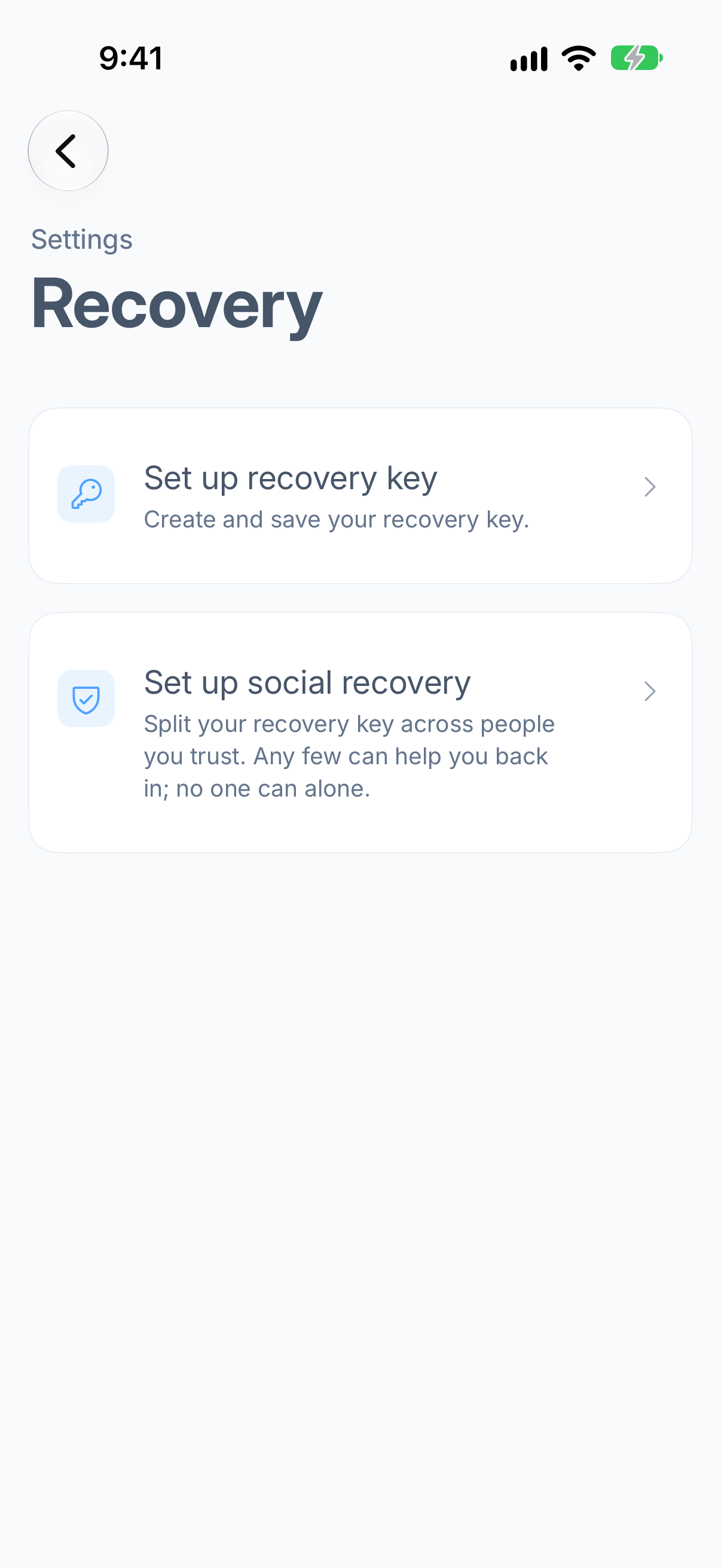
A recovery key you keep, or social recovery that splits that key across people you trust. A few of them together can help you back in, and no single one can open the vault. Zen never receives your master password and cannot reset it, so nobody at Zen can be phished or pressured into opening your vault.
Every recovery route runs through LastPass: an emailed link that finds a recovery secret stored in your browser, an SMS code, or biometric recovery set up in the mobile app. Emergency access on paid plans gives one trusted person access to your vault.
Zen Passwords. Zen Passwords. LastPass's routes back in depend on LastPass's systems or on one trusted person. Zen's depend on what you hold and on people you chose, and no one of them can get in alone.
06Encrypted backups on a schedule
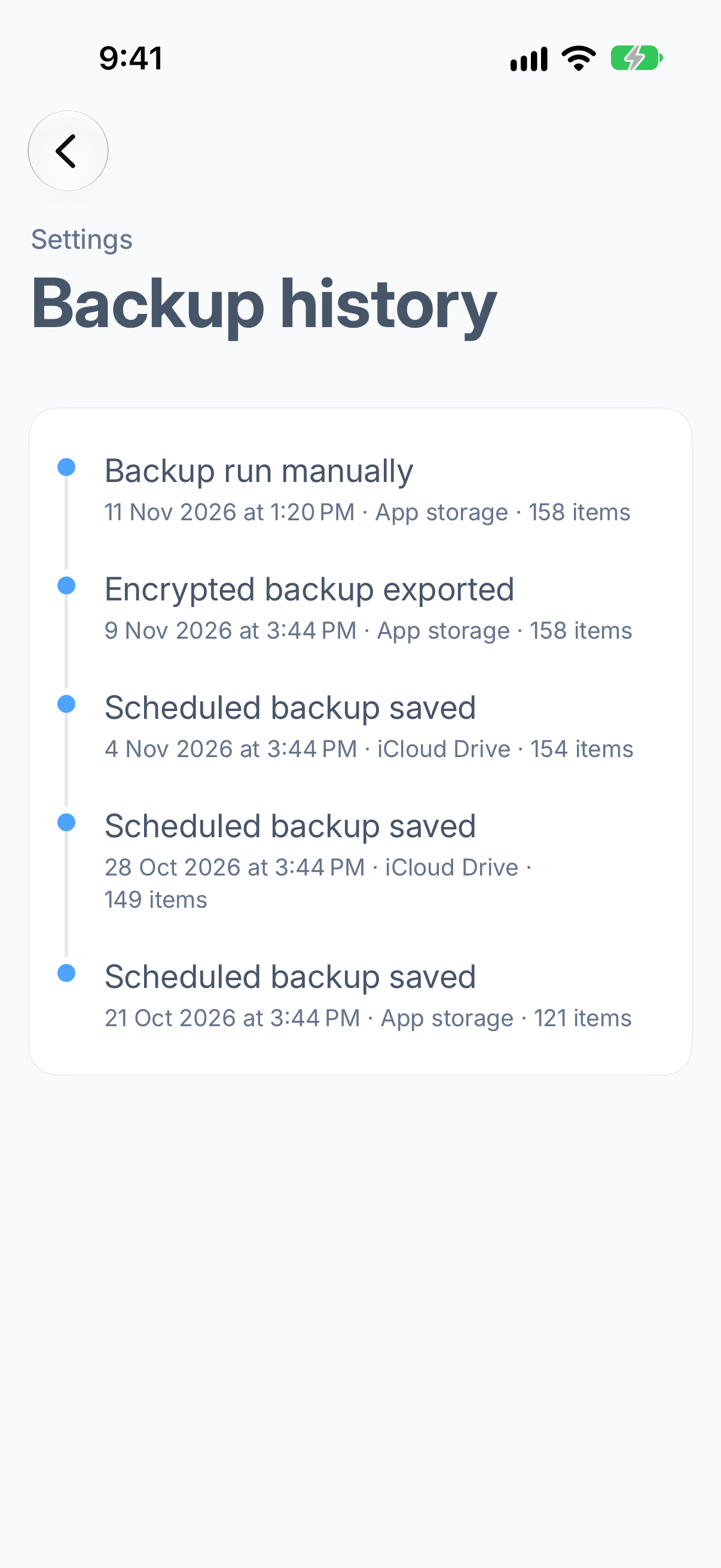
Encrypted backups on demand or on a schedule, into a folder you choose, with a history of every backup showing its date, destination and item count.
Backups are exports you make by hand from the extension or the web vault. The standard export is a plain CSV file that anyone who opens it can read.
Zen Passwords. Zen Passwords. A backup that runs by itself and stays encrypted is one you will actually have on the day you need it.
07Your vault opens without the app
An encrypted Zen backup opens from a terminal on Mac or Linux with zen-cli, an open-source, read-only tool. No app, no account and no Zen service involved. The key-derivation code is open source too, with test vaults you can check.
Your vault opens in LastPass's apps, extension or web vault, signed in to your LastPass account. Even its command-line client describes itself as an interface to LastPass.com.
Zen Passwords. Zen Passwords. If the app disappeared tomorrow, your data would still open, and you can test that today.
08No account, so no customer file to leak
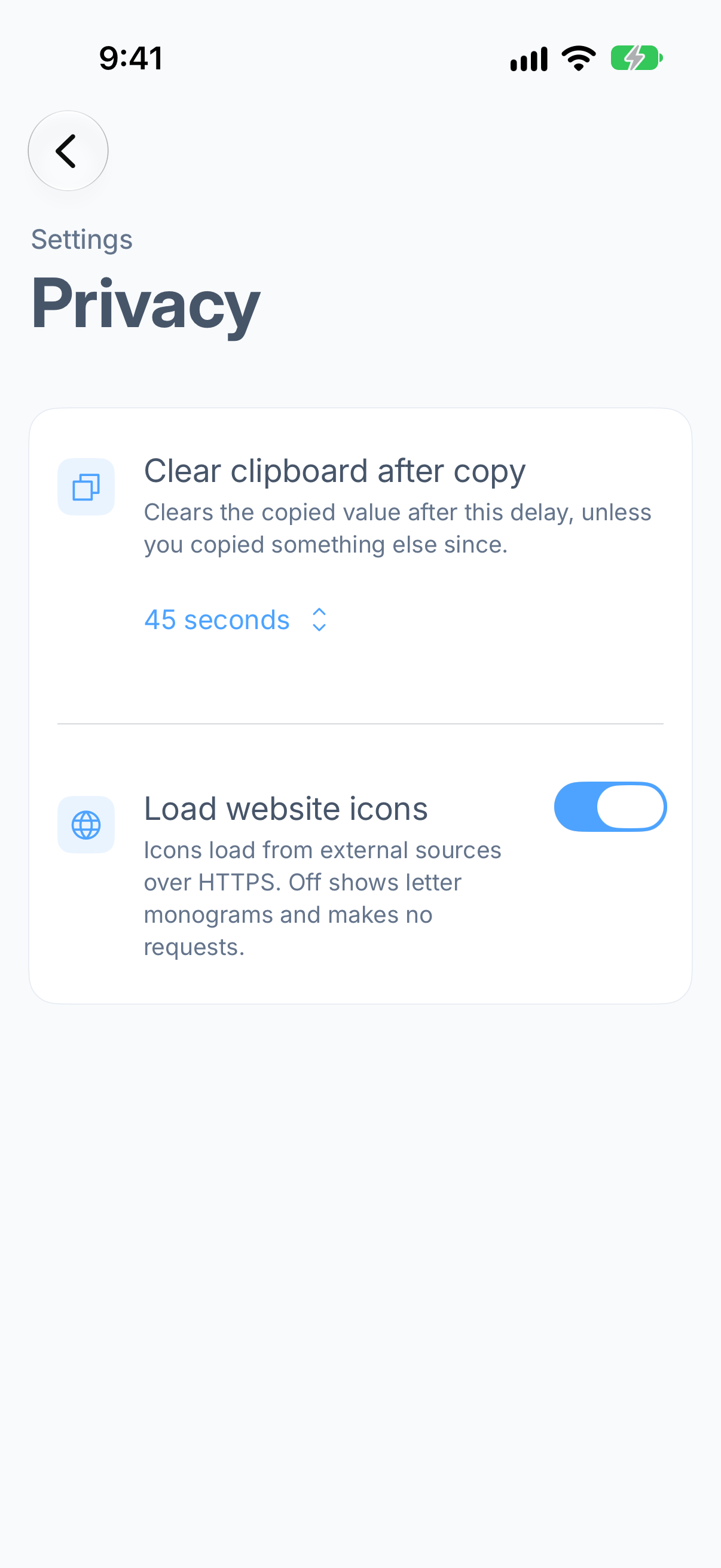
There is no Zen account to create. No ads, and the business is selling the app, not anything read from your vault. Website icons come from a public icon service and can be turned off in Settings, under Privacy, and the clipboard clears itself after you copy.
You sign up with an email address. LastPass's App Store privacy label lists your email address and product interaction as linked to you for its own advertising or marketing, and coarse location for analytics. In June 2026 a breach at one of its vendors exposed customer names, email addresses, phone numbers, addresses and support cases.
Zen Passwords. Zen Passwords. A company can only leak, or market with, the records it holds. Zen Passwords never asks for your email to use the app.
09Photos attached to each entry
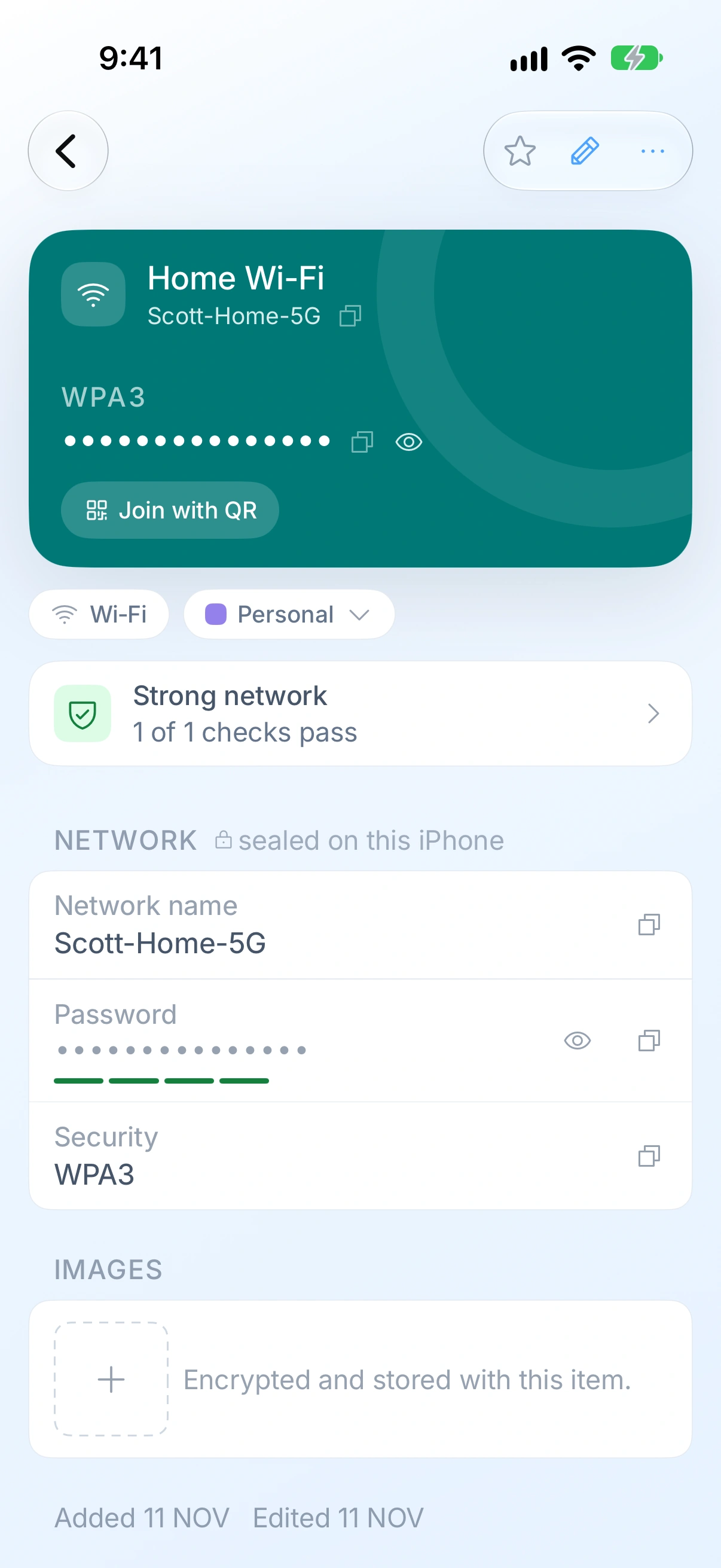
Attach photos to any entry, whether a card, a passport or a Wi-Fi network, and they are encrypted with the entry itself. An entry with photos still counts as one item.
File attachments live on secure notes, with 1 GB of storage on the paid plans.
Zen Passwords. Zen Passwords. The photo of your passport belongs on your passport entry, not in a separate note you have to find later.
10The devices it reaches
iPhone, iPad and Mac, with AutoFill for logins, one-time codes and passkeys in Safari and in other apps.
Windows, Mac, iPhone, Android and extensions for every major browser.
LastPass. LastPass. If your week includes a Windows PC or an Android phone, it fills there and Zen Passwords does not. Zen lets you read your vault in any browser at zenpasswords.com/vault, but not fill or edit there.
11Sharing with the people you live with
No sharing. Your vault is yours alone.
One-to-one sharing on Free, sharing with several people on Premium, and a Families plan with up to six accounts and shared folders.
LastPass. LastPass. If you share passwords with a family or partner, it does that and Zen Passwords does not.
The verdict
The deciding fact is where the vault is kept. LastPass stores encrypted vaults on its own systems, and in 2022 an attacker copied cloud backups that held all customer vault data. Zen Passwords runs no vault server. Your vault lives on your devices, and if you turn sync on, it travels as encrypted data through your own private iCloud.
Zen Passwords then adds a second key. Your master password is combined with a 130-bit Secret Key that is generated on your device and never uploaded, so a guessed password alone opens nothing. Recovery runs through a key you keep or people you trust. Backups are encrypted and run on a schedule. And an encrypted backup opens with an open-source tool even without the app.
LastPass keeps two real advantages: it runs on Windows, Android and every major browser, and it shares passwords with family. If you need either, it does them. If your devices are Apple, Zen Passwords is the stronger vault.
Leaving LastPass
If you are still there
- Export your vault, then change every password that mattered, starting with email and anything financial.
- Assume anything stored in a LastPass vault before 2023, and the list of sites you used, may be known to someone.
- Import into Zen Passwords, save your Secret Key with your recovery key, delete the plain export file and turn on scheduled encrypted backups.
What we would tell a friend
If you are on LastPass and every device you own is Apple, move. Export your vault, import it into Zen Passwords, and change the passwords that matter most, starting with email and anything financial. A vault copied in 2022 is still protected only by the settings it had that day.
A copy of your vault is only worth what protects it. Zen Passwords protects it with two keys. Zen Passwords on the App Store
How every round was scored, and where the facts came from
Every LastPass fact on this page was checked on November 14, 2026 against LastPass's own notices, pricing page and App Store listing, and against reputable reporting. Zen Passwords facts come from the app and its published documentation.
- LastPass: Notice of recent security incident Dated updates from August 25, 2022 to December 22, 2022, including what the copied vault backup held and which fields were unencrypted.
- LastPass: Security incident update and recommended actions March 1, 2023 account of both incidents, the targeting of a senior DevOps engineer and the backups of all customer vault data.
- LastPass: LastPass is encrypting URLs LastPass's own timeline; phase two of URL encryption completed in September 2025.
- LastPass Trust Center FAQ Key derivation from the master password with PBKDF2 at a minimum of 600,000 rounds.
- Wladimir Palant: the significance of these password iterations Iteration default history (1, 500, 5,000, 100,100 in February 2018) and accounts found still on 5,000, 500 or 1.
- KrebsOnSecurity, September 5, 2023 Researchers tracking more than $35 million stolen from more than 150 victims who stored seed phrases in LastPass.
- KrebsOnSecurity, March 7, 2025 Federal seizure complaint tying the January 30, 2024 $150 million theft to the same attackers, and LastPass's response.
- The Register, December 11, 2025 The UK Information Commissioner's Office fine of £1.2 million over the 2022 breach.
- ClassAction.org: LastPass settlement $8.2 million fund plus up to $16.25 million for cryptocurrency losses; preliminary approval in February 2026.
- Android Authority, June 24, 2026 The Klue vendor breach: customer contact details and support cases exposed; LastPass says vaults were untouched.
- LastPass pricing Free limited to one device type, sharing by plan, Families for up to six, 1 GB of file storage for secure notes, emergency access.
- LastPass on the App Store App Privacy label, read November 14, 2026.
- LastPass: guide to account recovery Email link with a browser-stored recovery secret, SMS, and mobile biometric recovery.
- PCWorld: how to export your passwords from LastPass Manual export from the extension or web vault; CSV and XML exports are not encrypted.
- lastpass-cli on GitHub Described by LastPass as a command line interface to LastPass.com.
- Zen Passwords open-source tools zen-cli opens an encrypted backup read-only on Mac or Linux. The key-derivation core is at github.com/zenproductsai/zen-vault-core under Apache 2.0, with test vaults.
Questions
I changed my master password after the breach. Is the stolen copy safe now?
No. Changing the password does not re-encrypt a copy someone already took; that copy is still protected by the settings your account had in 2022. Change the passwords stored in it, starting with email and anything financial. Zen Passwords adds a Secret Key that is never uploaded, so a copied Zen vault needs more than your master password.
Could Zen Passwords lose my vault the way LastPass did?
There is no Zen server holding vaults to copy. Your vault is on your devices, and when it syncs it is stored as encrypted data in your own private iCloud. Even that data needs your master password and Secret Key, or your recovery key, to open.
What if I forget my master password?
Use the recovery key you saved, or social recovery through people you trust. Zen cannot reset your password, and that is the point: nobody at Zen can be talked into opening your vault.
Is the free version a trial?
No. Free keeps five active items in the real app, with AutoFill, sync, backups, recovery and all seven item types, on all your Apple devices, and it does not expire. LastPass Free limits you to one device type, computer or mobile. Zen Premium removes the item limit and adds the breach check.
Can I move my LastPass data over?
Yes. Export a CSV from LastPass and import it into Zen Passwords as a common-column CSV. Then delete the plain CSV file and turn on scheduled encrypted backups, so every copy from then on is encrypted.