Both apps pair your master password with a Secret Key, so both start from a strong design. The difference is where the vault lives and who it depends on. This page scores the two on that, one specific job at a time.
- You want no account with anyone and no vault of yours on a company server
- You want the vault to stay on your device, syncing only through your own private iCloud
- You want each password guess to cost an attacker memory, not just time
- You want encrypted backups on a schedule, in a folder you choose, instead of a plain-text export
- You want a backup that opens without the app or the company, using an open-source tool
- You want recovery split across people you trust, so no single person can open your vault
- You want to use the real app free for five items before deciding
- Anything you use runs Windows, Android or Linux
- You share vaults with family or colleagues
At a glance
| Zen Passwords | 1Password | Better | |
|---|---|---|---|
| No account to create | No account at all | An account, and the vault is tied to it | Zen Passwords |
| No vendor server to breach | Your device, plus your own private iCloud | 1Password servers, synced everywhere | Zen Passwords |
| What one guess costs an attacker | Argon2id at 64 MiB, plus Secret Key | PBKDF2, 650,000 iterations, plus Secret Key | Zen Passwords |
| Backups you control | Scheduled encrypted backups with history | Manual export, unencrypted | Zen Passwords |
| Your vault opens without the app | Open-source zen-cli reads any backup | 1Password apps or 1Password.com | Zen Passwords |
| Recovery without the company | Your recovery key, or split across trusted people | Recovery code via 1Password.com, or organizer | Zen Passwords |
| Starting free, not on a trial | Five active items free, no time limit | 14-day trial, then a paid plan | Zen Passwords |
| The devices it reaches | iPhone, iPad and Mac | Apple, Windows, Android, Linux, browsers | 1Password |
| Sharing with other people | Personal vault | Shared vaults and family plans | 1Password |
01No account to create
None. You never sign up for anything, and there is no Zen account to phish, reset or lock.
A 1Password account is required. Your vaults belong to that account, and 1Password 8 does not support standalone vaults.
Zen Passwords. An account is something that can be phished, locked or taken over. Zen does not have one to lose.
02No vendor server to breach
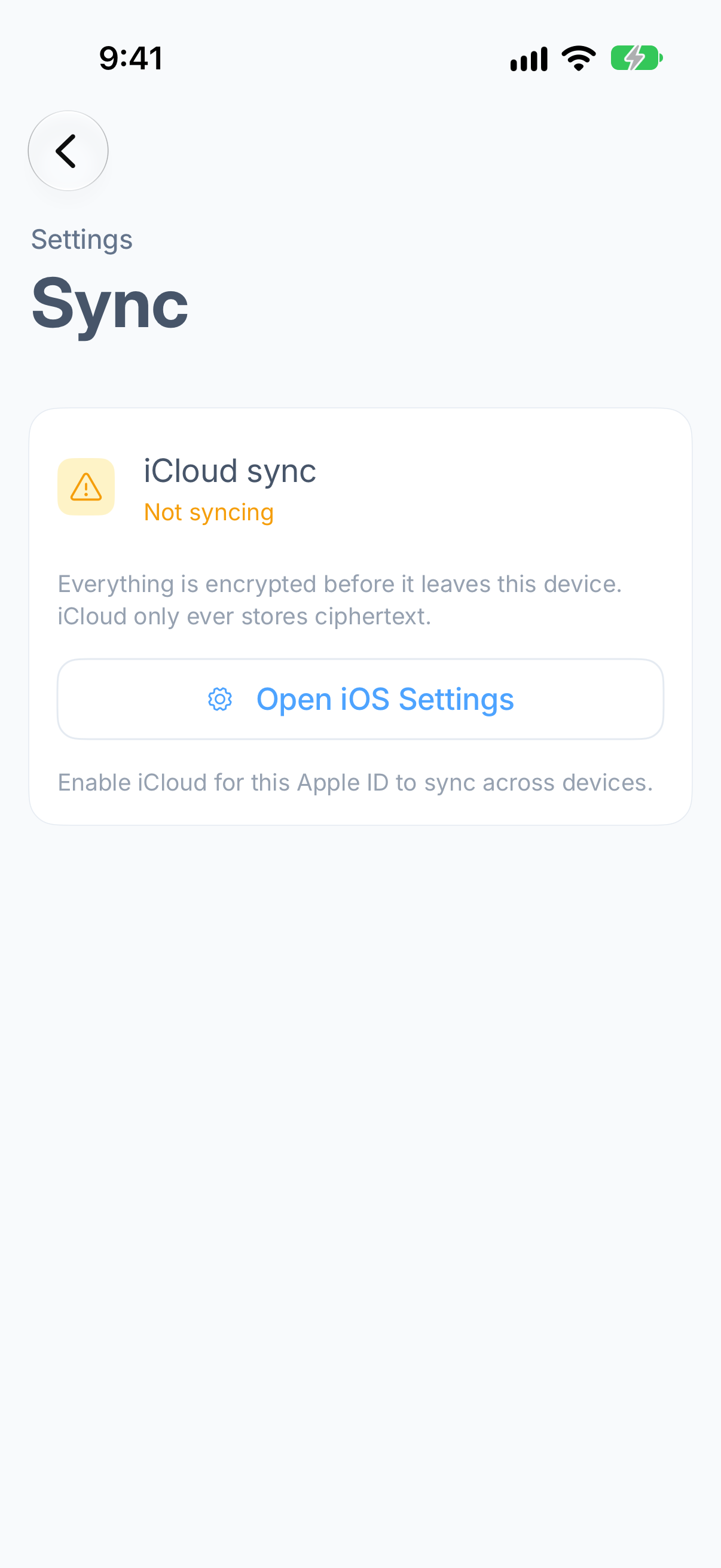
There is no Zen server holding vaults. The vault lives on your device. Sync runs through your own private iCloud when you are signed in, carrying only data encrypted on your device first. Without iCloud, the vault stays on the device.
Your encrypted vaults are stored on 1Password servers and synced to every device from there.
Zen Passwords. 1Password encrypts its vaults well, but they all sit together on one company's servers. Zen has no such place for anyone to target.
03What one guess costs an attacker
Argon2id, combined with a Secret Key. A new vault uses 64 MiB of memory per guess.
PBKDF2 with 650,000 iterations, combined with a Secret Key. PBKDF2 costs a cracking rig time, but almost no memory.
Zen Passwords. Both make a stolen vault hard to attack. Underneath the Secret Key, Zen adds a memory cost to every guess, which limits how many guesses fit on a graphics card at once.
04Backups you control
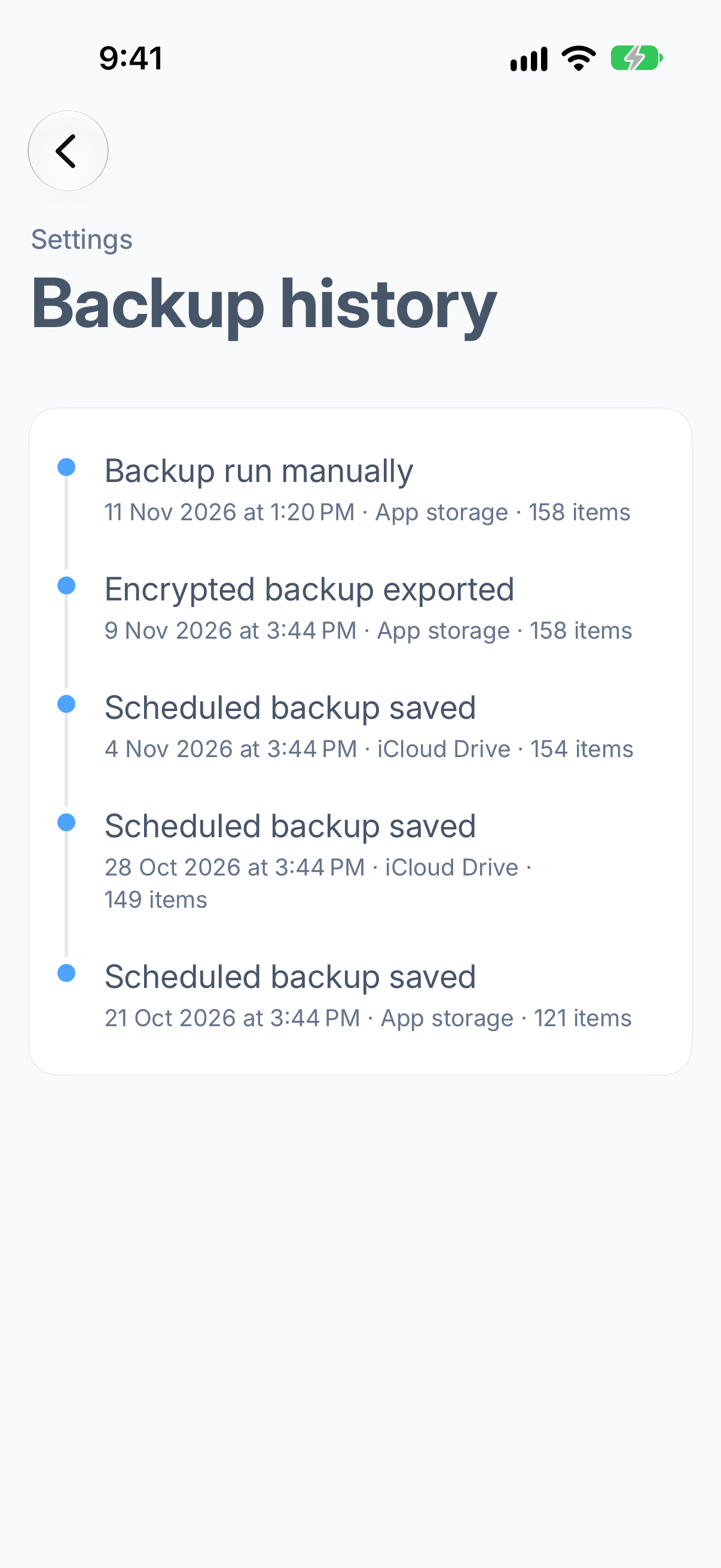
Encrypted backups on demand or on a schedule, saved to a folder you choose, with a history showing the date, destination and item count of every backup.
No scheduled backups. The desktop apps export to 1PUX or CSV, and 1Password states that exported files are not encrypted.
Zen Passwords. The only file 1Password gives you is plain text that anyone can read. Zen makes an encrypted copy on schedule and keeps a record of each one.
05Your vault opens without the app
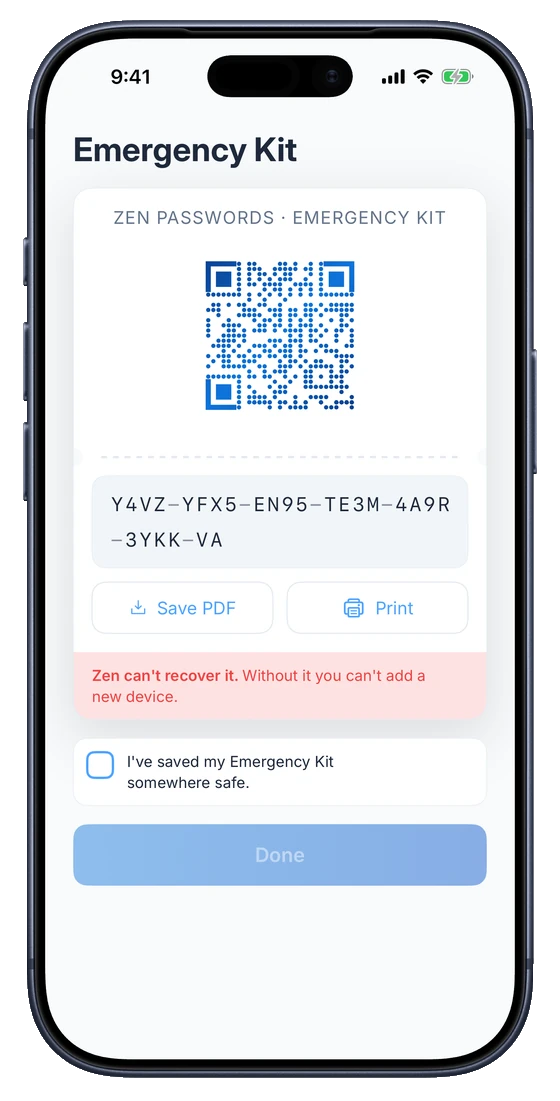
An encrypted Zen backup opens from a terminal on Mac or Linux with zen-cli, an open-source, read-only tool. No app and no account needed.
Your data opens in 1Password's apps or at 1Password.com, signed in to your account. The only copy outside it is the unencrypted export.
Zen Passwords. With Zen, a backup and your keys are enough on their own, even if the app is gone. With 1Password, reaching your data means reaching 1Password.
06Recovery without the company
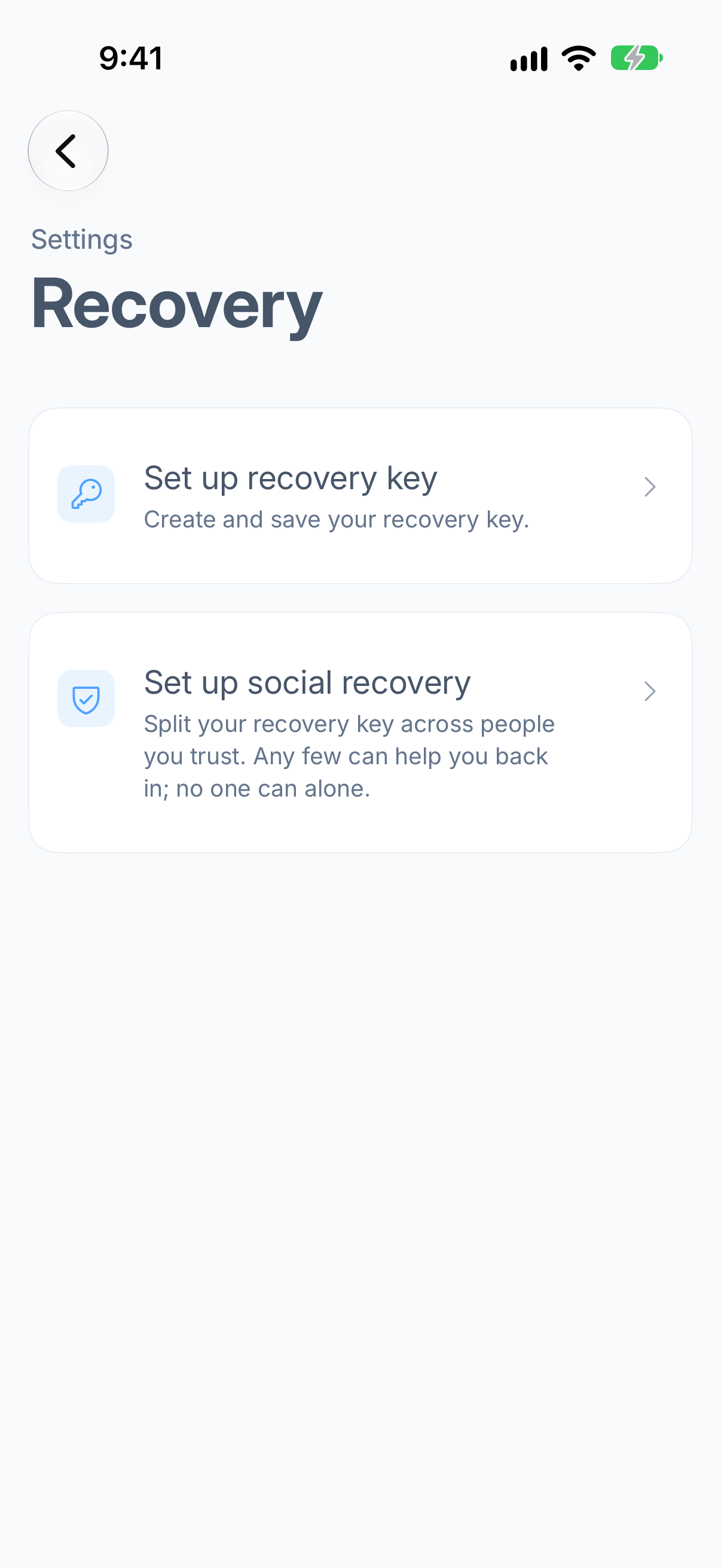
A recovery key you keep, or social recovery that splits it across people you trust: any few of them together can help you back in, and no one of them can alone. Nothing goes through Zen.
A recovery code entered on 1Password.com with an email verification code, or a recovery started by a family organizer or team administrator.
Zen Passwords. 1Password's recovery runs through its website, your email and, on a family plan, one organizer. Zen's runs through you, and the split version means no single person holds the way in.
07Starting free, not on a trial
Five active items free in the real app, for as long as you like, with AutoFill, sync, backups, recovery and all seven item types. Zen Premium removes the limit.
Paid plans only, with a 14-day free trial.
Zen Passwords. Zen lets you run your own logins through the real app with no clock and no card. 1Password asks you to decide within two weeks.
08The devices it reaches
iPhone, iPad and Mac, with AutoFill in Safari and in other apps.
Apps for Mac, iPhone, Windows, Android and Linux, plus browser extensions.
1Password. If any device in your week is not an Apple one, 1Password fills and edits there and Zen does not. Zen lets you read your vault in any browser at zenpasswords.com/vault, but not fill or edit there.
09Sharing with other people
A personal vault. No shared or family vaults.
Shared vaults on Families plans, guest accounts, and item sharing with anyone.
1Password. If you keep logins in common with a partner or a team, 1Password does that job.
Moving from 1Password
The handover is the one moment your passwords sit in plain text. Keep it short.
- Export from the 1Password desktop app as .1pux, which keeps more fields than CSV, and import it into Zen Passwords.
- 1Password states that exported files are not encrypted. Delete the file as soon as the import is checked.
- Passkeys do not come across in a desktop export, so sign in to those sites and create a new passkey in Zen.
Try five active items free and test your everyday sign-in flow. Zen Passwords on the App Store
Sources and scope
1Password documentation checked on 14 November 2026.
- About PBKDF2 in 1Password PBKDF2 with 650,000 iterations, combined with the Secret Key.
- Export your data from 1Password 1PUX and CSV formats; exported files are not encrypted; no scheduled backups described.
- About the 1PUX format The 1Password Unencrypted Export format.
- 1Password recovery codes Recovery on 1Password.com with email verification; organizer and administrator recovery.
- 1Password plans Paid plans with a 14-day trial, platforms, and family sharing.
- 1Password Community: standalone vaults in 1Password 8 1Password staff confirm that 1Password 8 requires an account and has no standalone vaults.
- Zen Passwords product details Security model, backups, recovery, item types and the free tier.
Questions
What does Zen Passwords do that 1Password does not?
It works with no account and no vendor server, keeps the vault on your device with sync through your own private iCloud, makes encrypted backups on a schedule, opens those backups with an open-source tool, and lets you split recovery across people you trust. Each password guess also costs an attacker 64 MiB of memory, on top of a Secret Key.
Does Zen Passwords have a Secret Key like 1Password?
Yes. A 26-character, 130-bit Secret Key is generated on your device, combined with your master password, and never uploaded or synced. Vaults created since August 2026 have it by default, and older vaults turn it on in Settings > Security & lock in about two minutes. Zen asks for it when you add a device, open the web vault or restore a backup.
Does AutoFill still work if I leave 1Password?
Yes, on iPhone, iPad and Mac. Zen Passwords is an AutoFill provider on all three, so logins, one-time codes and passkeys are offered in Safari and in other apps.
Can I bring my 1Password vault across?
Yes. Zen imports 1Password .1pux, CSV and JSON exports. Delete the export once the import is checked, because 1Password export files are plain text.
Can I try Zen Passwords before paying?
Yes. The free tier holds five active items in the real app with no time limit, including AutoFill, sync, backups, recovery and all seven item types. Zen Premium removes the limit and adds the opt-in breach check.