Eleven scored rounds on what protects a copied vault, who holds it, how you get back in and what the app collects about you. Zen Passwords takes nine, Dashlane takes two.
- Your vault needs your master password and a Secret Key that never leaves your devices.
- No account to create, so there is no account to take over or register a device on.
- No vendor server holding your vault, and the app works fully offline.
- Recovery through a key you keep or people you trust, never through a company.
- Encrypted backups on a schedule, logged, and openable with an open-source tool.
- Photos attached to the card, ID or login they belong to.
- A free tier that does not expire, and no ads.
- A Windows PC or an Android phone in your week.
- Sharing with family: Friends & Family covers up to ten people.
- A VPN bundled with your password manager.
At a glance
| Zen Passwords | Dashlane | Better | |
|---|---|---|---|
| Two keys: master password plus a Secret Key | Master password plus a 130-bit Secret Key | Master password only, Argon2d at 32 MB | Zen Passwords |
| No vendor server holding your vault | On your devices; optional sync via your iCloud | On Dashlane's servers; copies downloaded in 2026 | Zen Passwords |
| No account to create | No account at all | Email account and device registration | Zen Passwords |
| No ads, no data business | No ads, no account | Contact info and identifiers used to track you | Zen Passwords |
| Recovery without the company | Your recovery key, or trusted people together | Recovery key or biometrics, checked by Dashlane | Zen Passwords |
| Encrypted backups on a schedule | Encrypted, scheduled, with a backup history | Manual export; attachments left out | Zen Passwords |
| Your vault opens without the app | Open-source CLI opens a backup, no account | Through Dashlane and your account | Zen Passwords |
| Photos attached to each entry | Photos on any entry, encrypted with it | Files on Secure Notes | Zen Passwords |
| A free tier that is not a trial | Five items free, no expiry | No free plan since 2025; 14-day trial | Zen Passwords |
| The devices it reaches | iPhone, iPad and Mac | Android, iPhone, and browsers on Windows and Mac | Dashlane |
| Sharing with the people you live with | Not offered | Sharing, plus Friends & Family for ten | Dashlane |
01Two keys: master password plus a Secret Key
Your master password is combined with a 130-bit Secret Key, 26 characters, generated on your device and never uploaded or synced. New vaults get one by default, older vaults turn it on in Settings > Security & lock in about two minutes, and you are asked for it when adding a device, opening the web vault or restoring a backup.
The vault key is derived from the master password alone, using Argon2d with 32 MB of memory and three iterations. Dashlane's device key is a separate secret used to authorize devices, not part of the vault key.
Zen Passwords. Zen Passwords. When attackers downloaded Dashlane vaults in 2026, the master password was all that stood between them and the contents. A copied Zen vault also needs a Secret Key that has never been on any server.
02No vendor server holding your vault
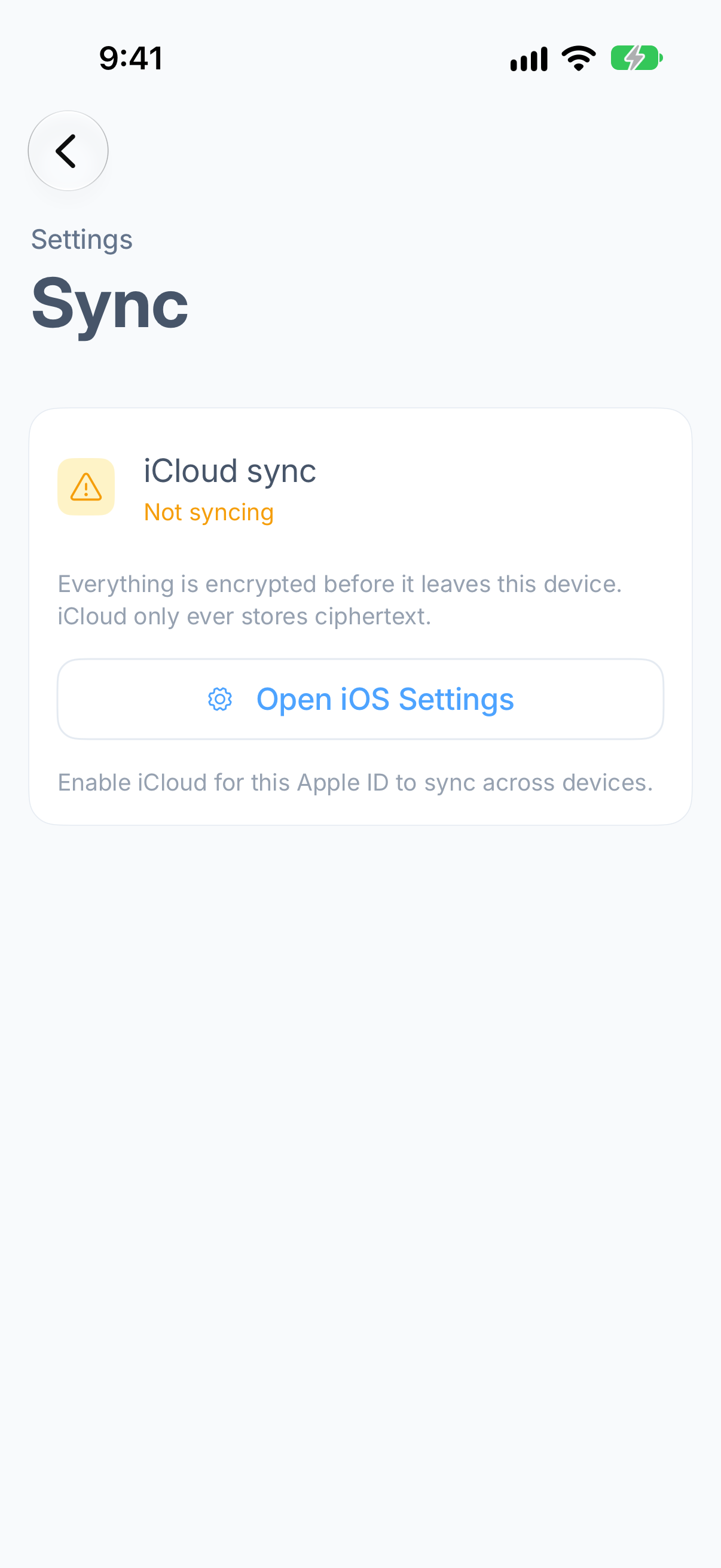
Zen Passwords runs no vault server. The vault lives on your devices and works fully offline. When you are signed into iCloud it syncs as encrypted data through your own private iCloud under your Apple ID.
Encrypted vaults sync through Dashlane's servers. From May 31, 2026, an attacker sent automated guesses at the device registration step, registered devices on fewer than 20 personal accounts and downloaded copies of their encrypted vaults. Dashlane says it found no evidence its internal systems were compromised.
Zen Passwords. Zen Passwords. Dashlane's systems held, and vaults still left through the sign-in path. With Zen there is no central sign-in and no store of vaults behind it.
03No account to create
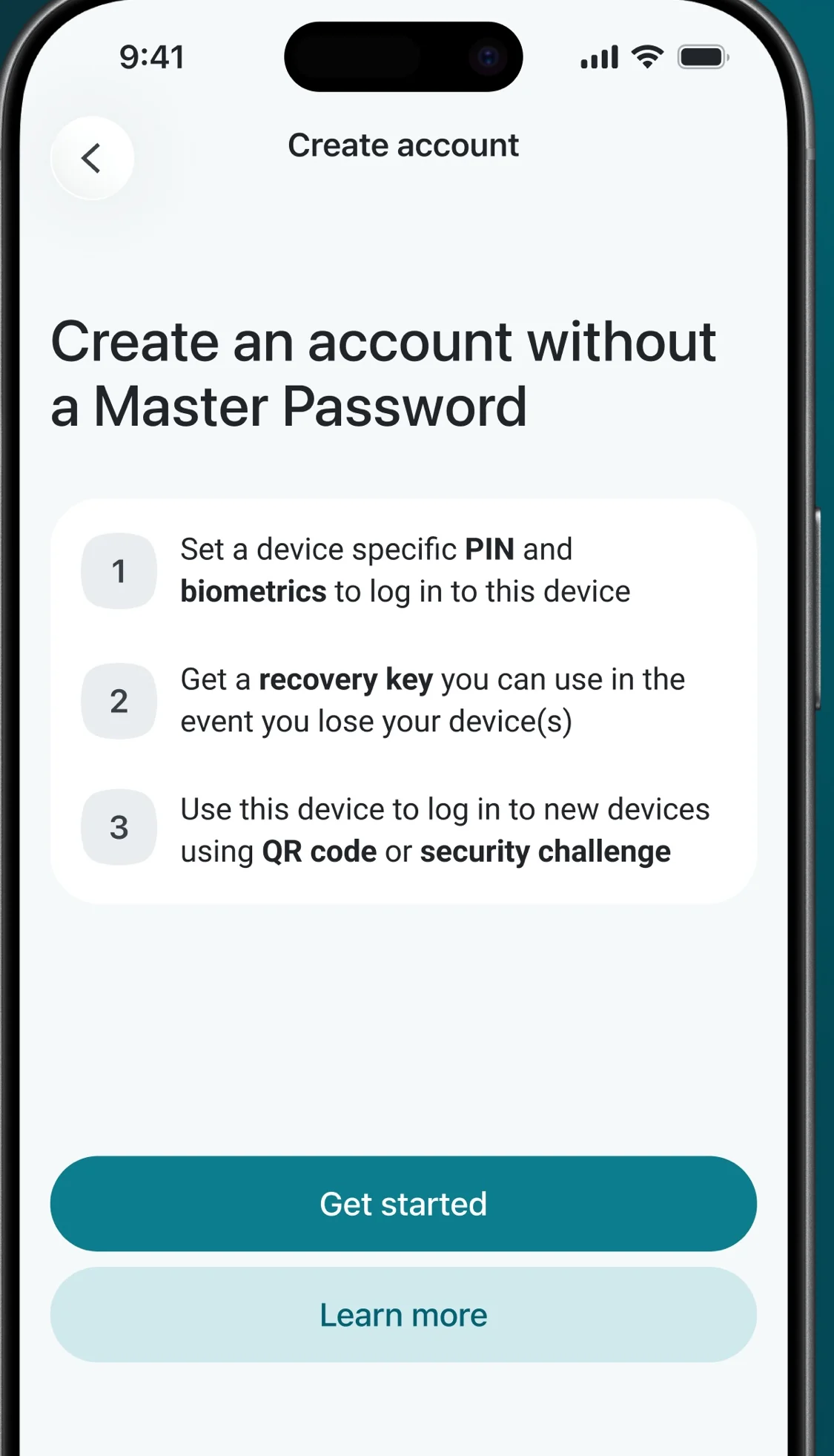
There is no Zen account. You set a master password on your device and the vault is yours. Nothing to sign up for, and no sign-in page for anyone else to try.
Dashlane starts with an account tied to your email address. Every new device, including its command-line tool, signs in with that email and registers through a second-factor check, and that registration step is what the 2026 attack went after.
Zen Passwords. Zen Passwords. An account is something attackers can work on even when the encryption holds. Zen gives them nothing to work on.
04No ads, no data business
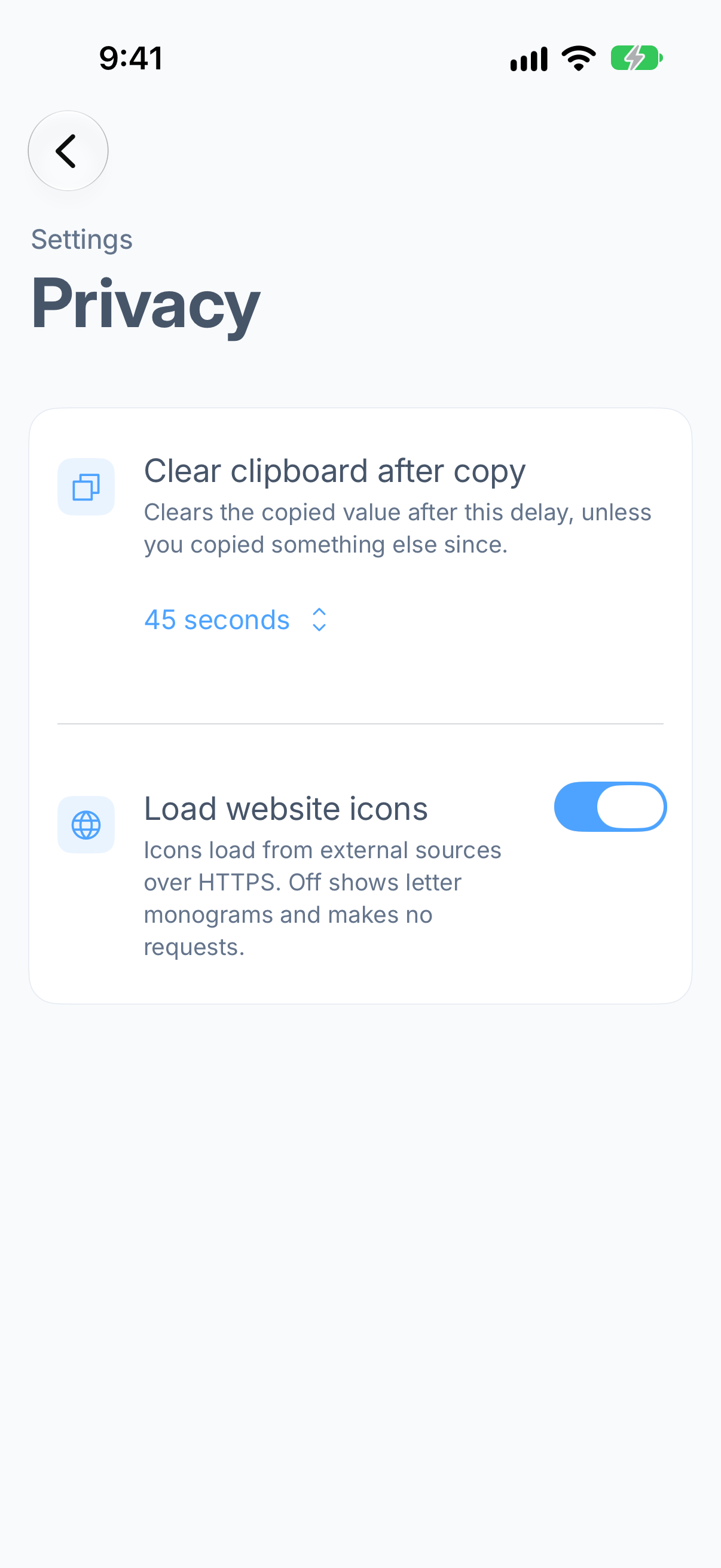
No ads, and the business model is paying for the app. Nothing is read from your vault, website icons can be turned off in Settings, under Privacy, and the clipboard clears itself after you copy.
Dashlane's App Store privacy label lists contact info and identifiers as data used to track you. It also links your email address to you for its own advertising or marketing, and your user ID and product interaction for analytics.
Zen Passwords. Zen Passwords. A password manager should know as little about you as possible. Zen Passwords never asks for your email to use the app.
05Recovery without the company
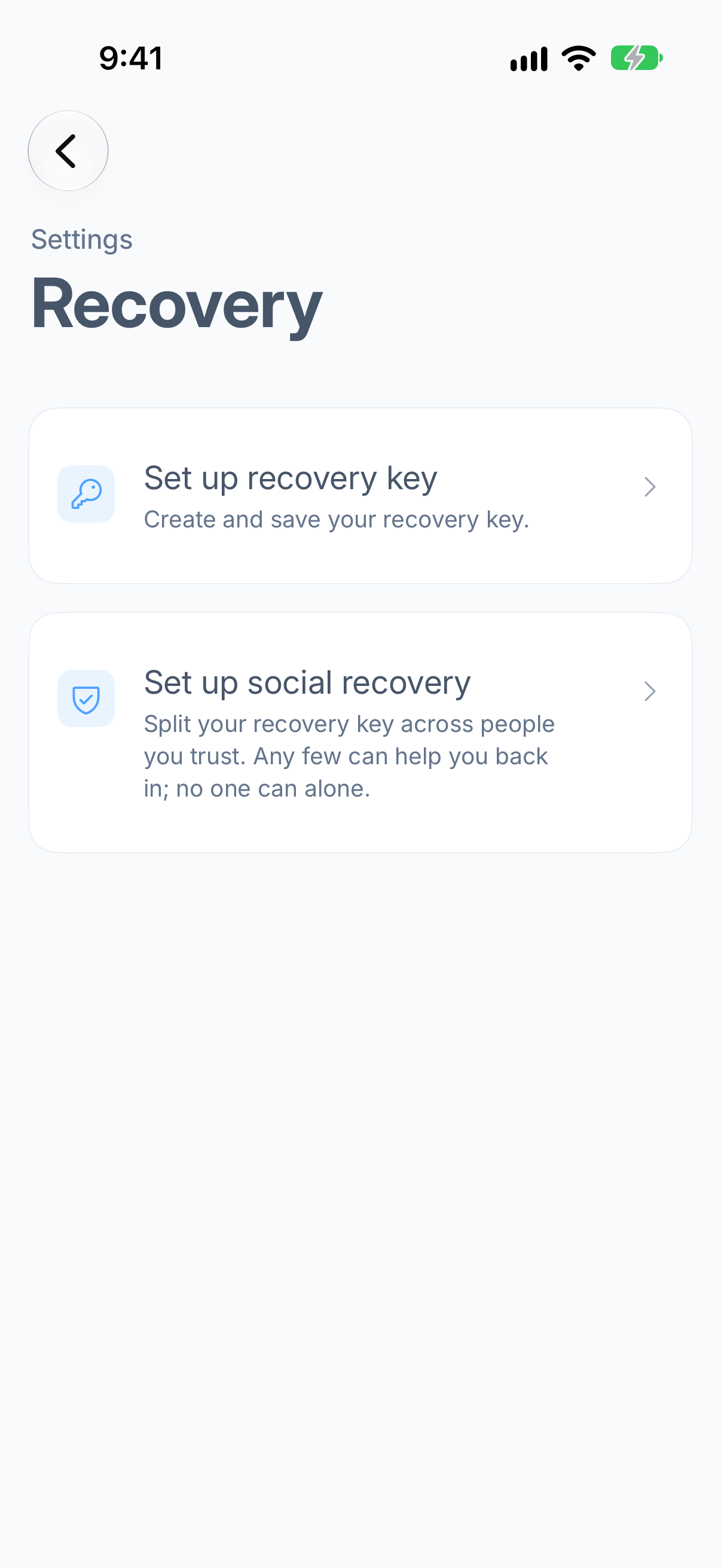
A recovery key you keep, or social recovery that splits that key across people you trust. A few of them together can help you back in, and no single one can open the vault. Zen never receives your master password and cannot reset it, so nobody at Zen can be phished or pressured into opening your vault.
An account recovery key you generate in advance, or biometric recovery on a mobile device you set up beforehand. Without one of them, the only route is a reset that erases your data.
Zen Passwords. Zen Passwords. Both offer a key, but only Zen lets you spread recovery across people you trust, so losing one piece of paper does not lose you the vault, and no single helper can get in.
06Encrypted backups on a schedule
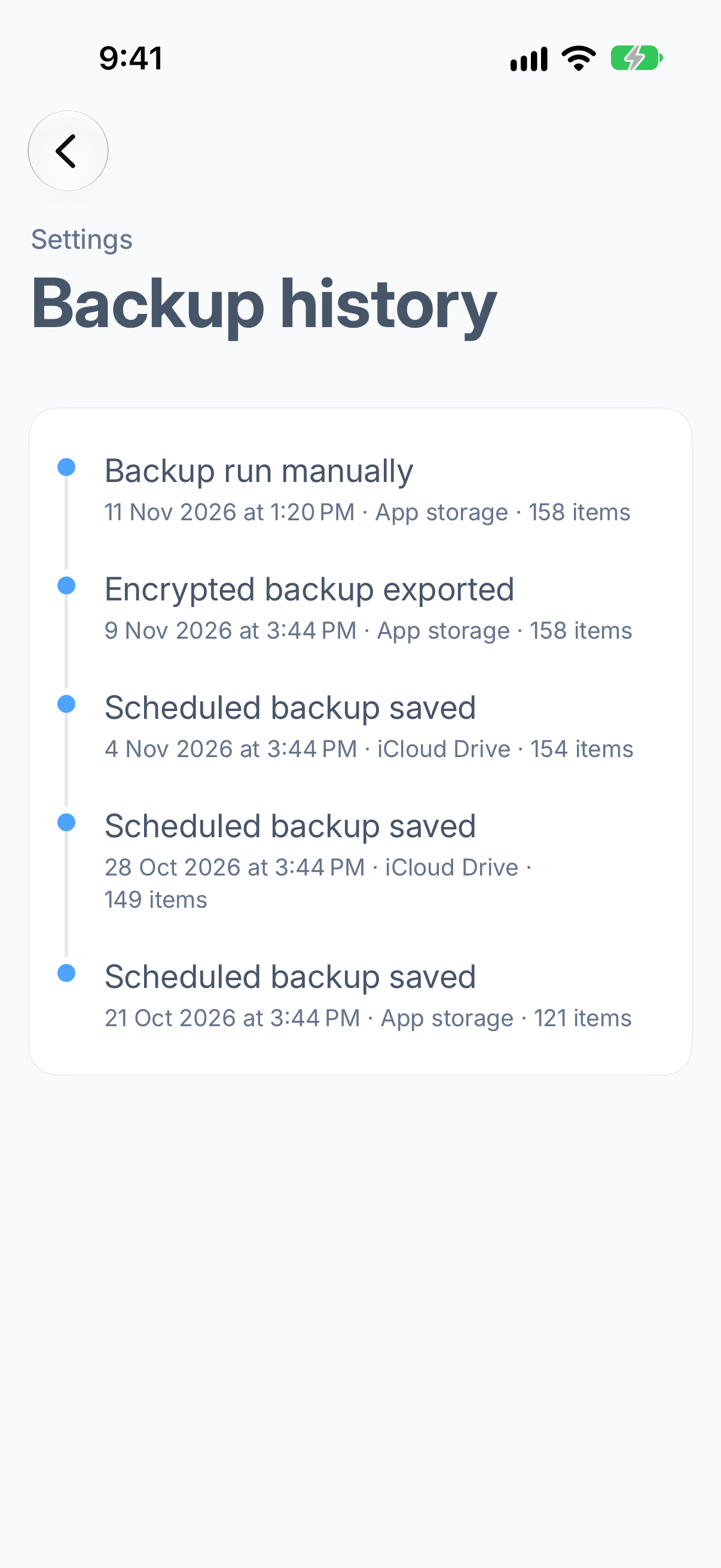
Encrypted backups on demand or on a schedule, into a folder you choose, with a history of every backup showing its date, destination and item count.
Exports are made by hand from the web app: a plain CSV in a ZIP file, or a password-protected DASH file. Files attached to Secure Notes are left out of both.
Zen Passwords. Zen Passwords. Dashlane can make an encrypted copy, but only when you remember to. Zen's backups run on their own and every one is logged.
07Your vault opens without the app
An encrypted Zen backup opens from a terminal on Mac or Linux with zen-cli, an open-source, read-only tool. No app, no account and no Zen service involved. The key-derivation code is open source too, with test vaults you can check.
Your vault opens in Dashlane's apps, extension or web app. Its command-line tool also needs your Dashlane email, device registration and master password.
Zen Passwords. Zen Passwords. Your passwords should not depend on a company keeping a service running. With Zen they do not, and you can test that today.
08Photos attached to each entry
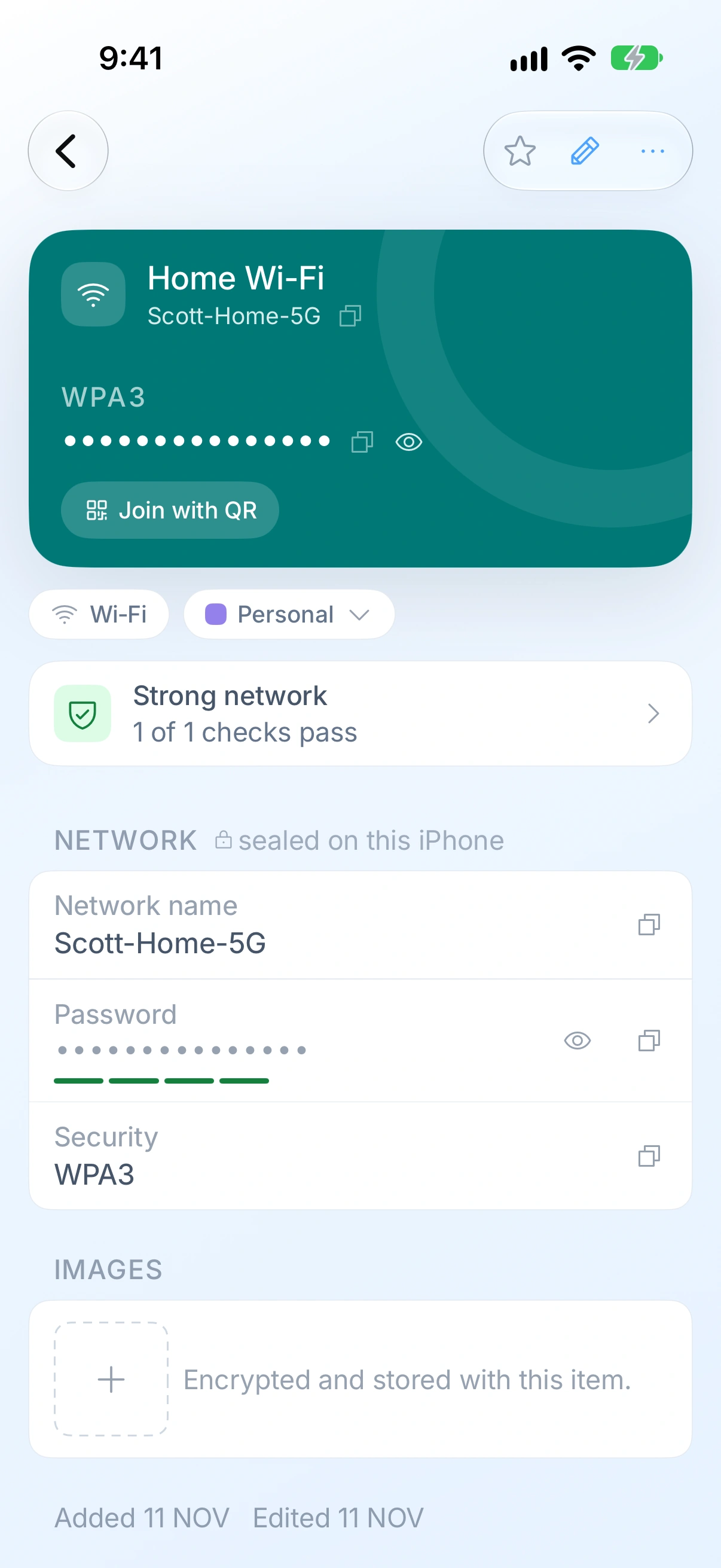
Attach photos to any entry, whether a card, a passport or a Wi-Fi network, and they are encrypted with the entry itself. An entry with photos still counts as one item.
Files can be attached to Secure Notes on paid plans.
Zen Passwords. Zen Passwords. The photo of your passport belongs on your passport entry, not in a separate note you have to find later.
09A free tier that is not a trial
Free keeps five active items in the real app, with AutoFill, sync, backups, recovery and all seven item types, and it does not expire. Zen Premium removes the limit and adds the breach check and Archive.
Dashlane discontinued its Free plan on September 16, 2025. Both personal plans, Premium and Friends & Family, are paid, and Premium offers a 14-day trial.
Zen Passwords. Zen Passwords. Five items covers the accounts that matter most, for as long as you like. Dashlane gives you two weeks.
10The devices it reaches
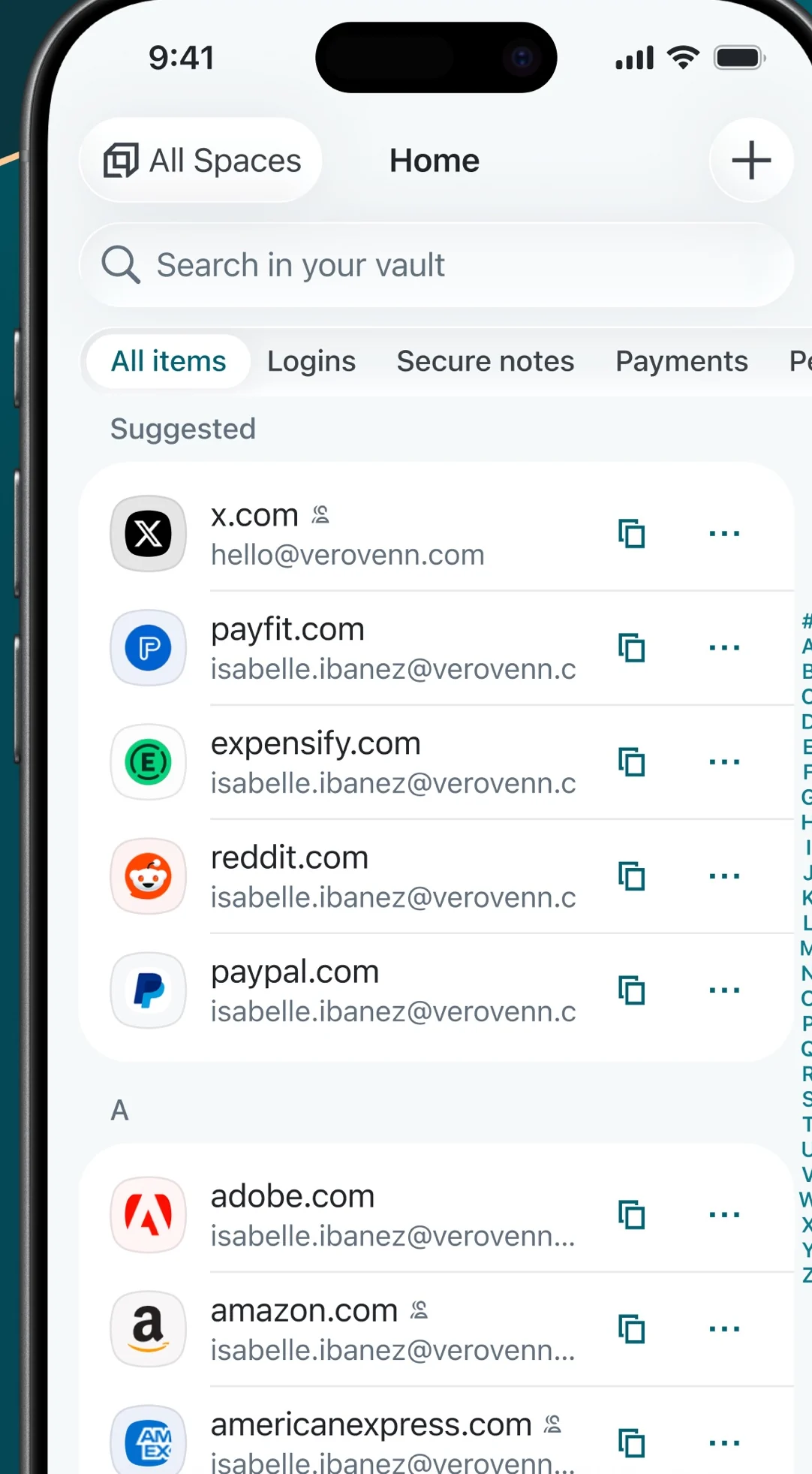
iPhone, iPad and Mac, with AutoFill for logins, one-time codes and passkeys in Safari and in other apps.
iPhone, Android, and browser extensions for Chrome, Firefox, Safari, Edge and other Chromium browsers on Windows and Mac, plus a web app.
Dashlane. Dashlane. If your week includes a Windows PC or an Android phone, it fills there and Zen Passwords does not. Zen lets you read your vault in any browser at zenpasswords.com/vault, but not fill or edit there.
11Sharing with the people you live with
No sharing. Your vault is yours alone.
Secure sharing on Premium, and a Friends & Family plan with private accounts for up to ten people.
Dashlane. Dashlane. If you share passwords with a family or partner, it does that and Zen Passwords does not.
The verdict
In June 2026 Dashlane disclosed that an attacker had brute-forced the tokens used to register new devices, registered devices on fewer than 20 personal accounts, and downloaded copies of their encrypted vaults. Dashlane says the copies still need each user's master password. That is the point: on Dashlane, the master password is the only thing between a copied vault and its contents.
Zen Passwords is built so that sequence has nowhere to start. There is no Zen account to register a device on and no Zen server holding vaults. Your vault lives on your devices, syncs through your own iCloud only if you choose, and opens only with your master password plus a Secret Key that never leaves your devices.
Dashlane ended its free plan on September 16, 2025, and its App Store privacy label lists contact info and identifiers as data used to track you. Zen Passwords has a free tier that does not expire, no ads and no account. Dashlane's real advantages are reach and sharing: Windows, Android, every major browser, and a Friends & Family plan for up to ten people.
Moving from Dashlane
If you are switching
- Export your logins from Dashlane as CSV. That file is plain text, so delete it once the import is done.
- Files attached to Dashlane Secure Notes are not included in its exports, so save them first and attach them as photos to the right Zen entries.
- Save your Secret Key with your recovery key, then check scheduled encrypted backups are on.
What we would tell a friend
If every device you own is Apple, choose Zen Passwords. You get a vault no company holds, a second key that has never been on a server, and a free tier you can keep for your five most important items. Choose Dashlane if you need Windows, Android or family sharing.
Zen Passwords asks for two keys, and keeps one of them off every server. Zen Passwords on the App Store
How every round was scored, and where the facts came from
Every Dashlane fact on this page was checked on November 14, 2026 against Dashlane's own security, pricing and help pages, its App Store listing, and reputable reporting. Zen Passwords facts come from the app and its published documentation.
- Dashlane security Argon2d with 3 iterations, 32 MB memory cost and 2 threads; a device key that is separate from the vault encryption key.
- Dashlane security advisory: brute force attack on user accounts Dashlane's own advisory, updated June 4, 2026, as quoted by Help Net Security.
- Help Net Security, June 5, 2026 Device registration tokens brute-forced for fewer than 20 personal plan customers, encrypted vaults downloaded, no evidence of internal compromise.
- Dashlane personal pricing Premium and Friends & Family (up to 10 people) only; 14-day Premium trial; VPN included.
- TechRadar: Dashlane to remove its free plan Free plan discontinued on September 16, 2025.
- Dashlane on the App Store App Privacy label, read November 14, 2026: contact info and identifiers listed as data used to track you.
- Dashlane Help Center: forgot Master Password and recovery key Recovery key, biometric recovery, and a reset that erases data when no option was set up.
- Dashlane Help Center: attach files to Secure Notes Attachments live on Secure Notes on paid plans and are not included in DASH or CSV exports.
- Dashlane CLI: personal authentication Sign-in with account email, device registration and master password.
- Dashlane Help Center: system requirements Browser extensions for Chrome, Firefox, Safari, Edge and other Chromium browsers, the web app, and mobile apps.
- Zen Passwords open-source tools zen-cli opens an encrypted backup read-only on Mac or Linux. The key-derivation core is at github.com/zenproductsai/zen-vault-core under Apache 2.0, with test vaults.
Questions
Were Dashlane vaults stolen?
In June 2026 Dashlane disclosed that an attacker brute-forced device registration on fewer than 20 personal accounts and downloaded copies of their encrypted vaults. Dashlane says it found no evidence its internal systems were compromised and that the copies still need each user's master password. If you were notified, change the passwords stored in that vault.
How would a Secret Key have changed that?
A Zen vault opens only with your master password and your 130-bit Secret Key. The Secret Key is generated on your device and never uploaded, so a copied vault cannot be opened by guessing the password alone. And with no Zen account, there is no device registration step to attack in the first place.
Dashlane uses Argon2 too. Is the method the difference?
Both use Argon2. Dashlane uses Argon2d at 32 MB; Zen Passwords uses Argon2id, the variant recommended for password hashing. The bigger difference is what goes into the key: Dashlane uses the master password alone, and Zen adds the Secret Key.
Is there a free version?
Zen Passwords has one: five active items in the full app, on all your Apple devices, with no expiry. Dashlane discontinued its Free plan on September 16, 2025.
Can I move my Dashlane data over?
Yes. Export your logins from Dashlane as CSV and import them into Zen Passwords as a common-column CSV. Dashlane's exports leave out files attached to Secure Notes, so save those separately and attach them as photos to the right entries.